14 15
Charge and Insert SD Card
Charge:
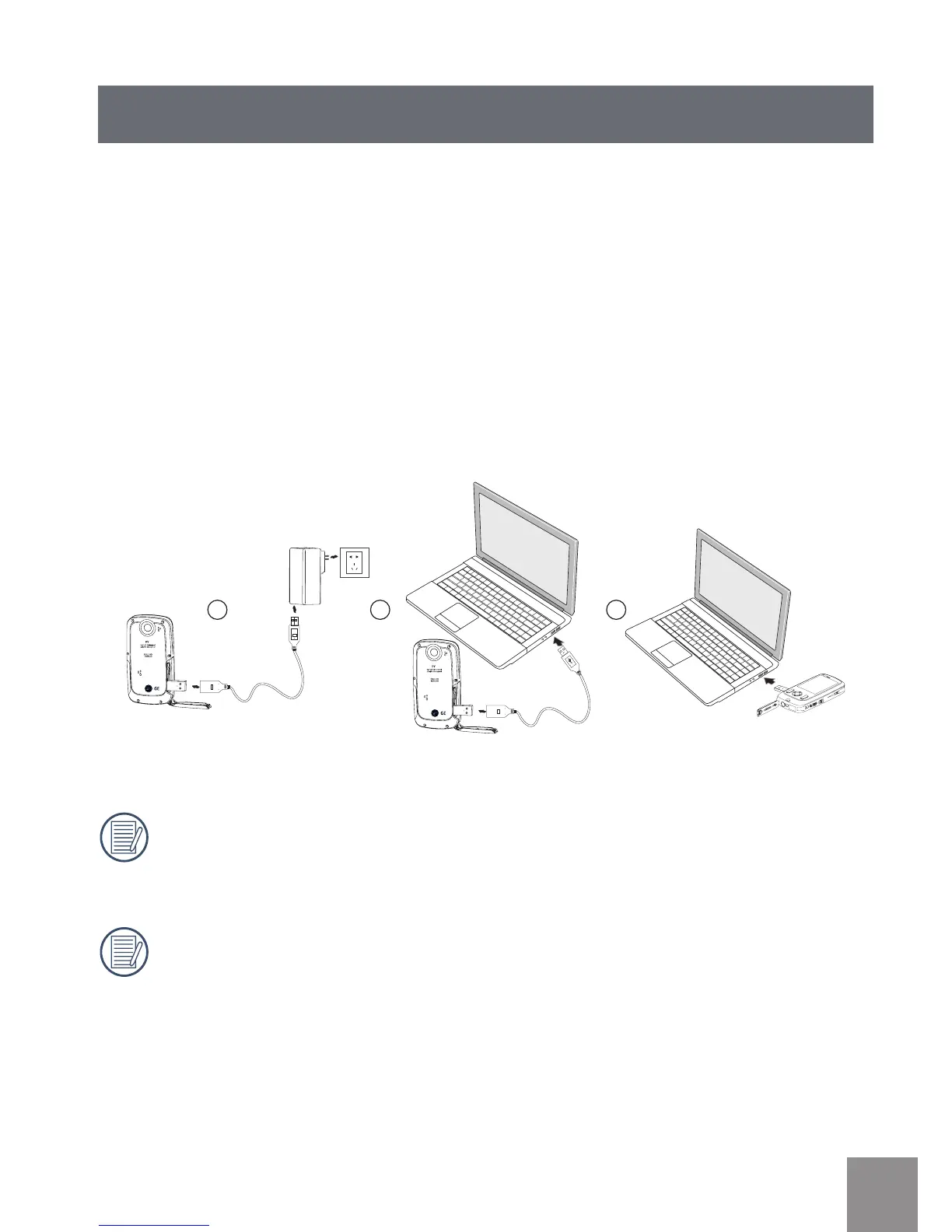
This video camera has an internal battery. You can use the following three
methods to charge the video camera:
1. Use the provided USB cable to connect the video camera with the adapter (see
gure 1)
2. Use the provided USB cable to connect the video camera to a PC (see gure 2)
3. Connect the camera's ip-out USB connector to a PC directly (see gure 3)
The DVX should charge for approximately 4 hours for the rst time, and the
status indicator will turn green when the battery is fully charged.
If you use method 1 to charge, the charging time is approximately 3 hours.
If you use method 2 or 3 to charge, the charging time is approximately 5
hours.





 To Next Page