Evolve™ LED Area Light
Scalable Fixtures (EAS)
Troubleshooting
and Repair Guide
Section 1: Light Engine(s) Out (continued)
Once power and wiring doors are open check electrical connections in this order.
A. Make sure all incoming power leads are attached to the terminal board
B. Make sure leads from terminal board primary disconnect are seated
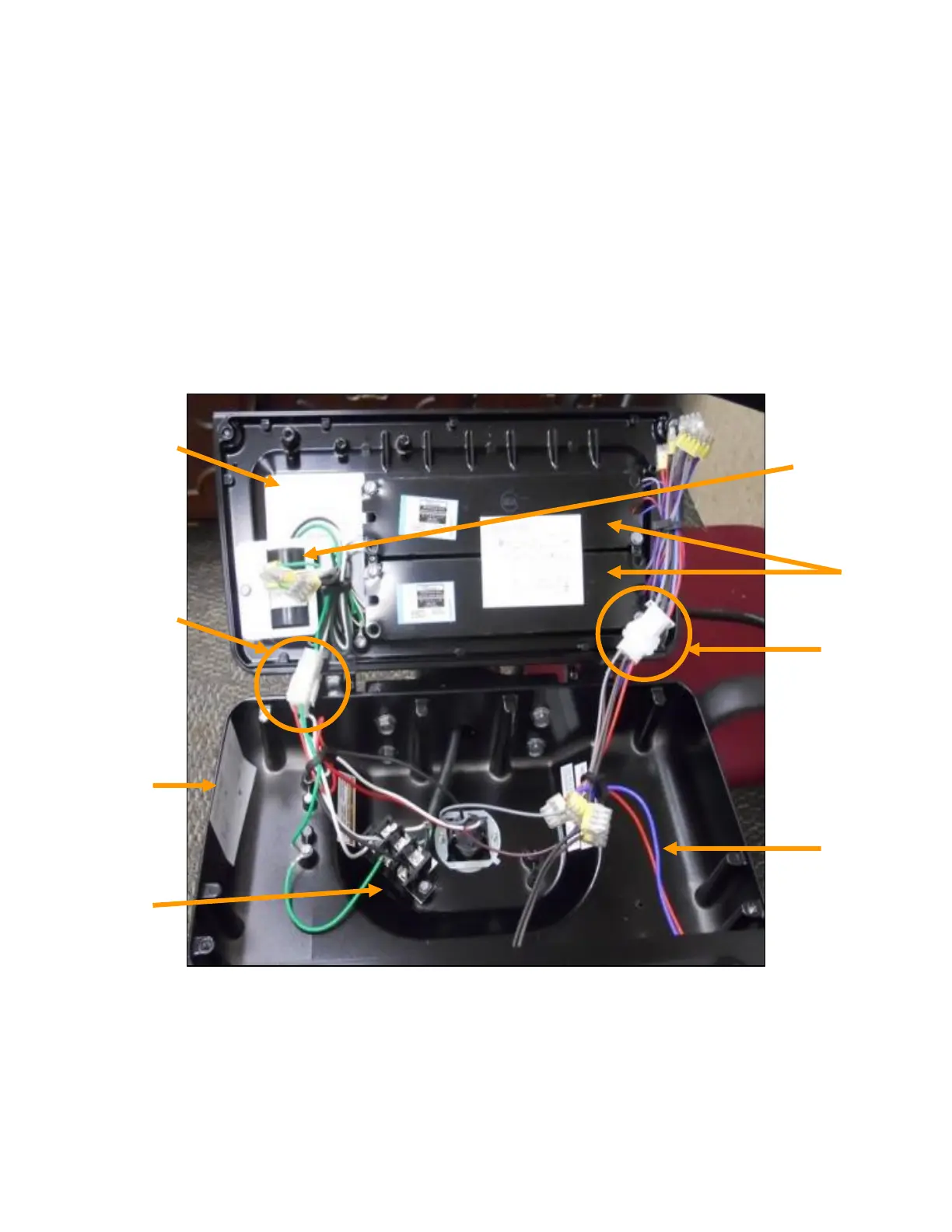
EASA/EASB Assembly
Power door in open position with major components identified.
*Actual shape and color of connectors may vary.
Driver
output to
light
engine
connectors
Light
Engine
Cables
Nameplate Surge
Protection
Device
Lead
connectors
to driver
input side
and surge
protection
device
LED
Drivers
Wiring
Diagram
Terminal
Board


 To Next Page