GFK-2327B Chapter 3 Detailed Operation 3-25
3
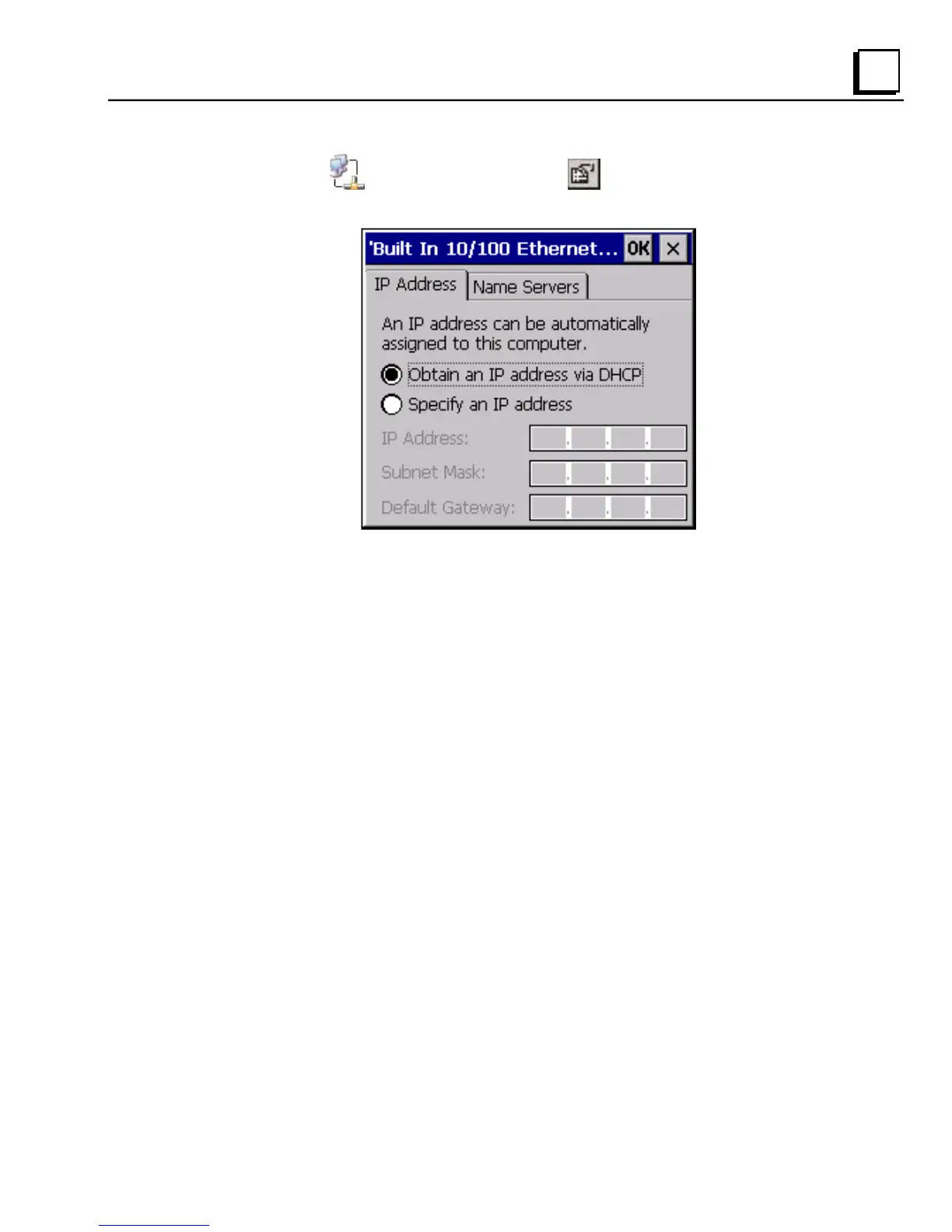
2. Select a connection and choose Properties. The Built-in
Ethernet Port Settings dialog box appears.
3. Select a method:
Obtain an IP address via DHCP (automatic).
Specify an IP address (manual).
4. Enter the IP Address, Subnet Mask and Default Gateway numbers
obtained from your network administrator (manual method only).
5. Tap OK.
6. To save the settings, run the Backup utility. (See page 2-7.)
After setting an IP address for the QuickPanel View, you can access
any network drives or shared resources for which you have permission.



 To Next Page