66 GE INFORMATION G500 SUBSTATION GATEWAY INSTRUCTION MANUAL
CHAPTER 5: INDICATORS
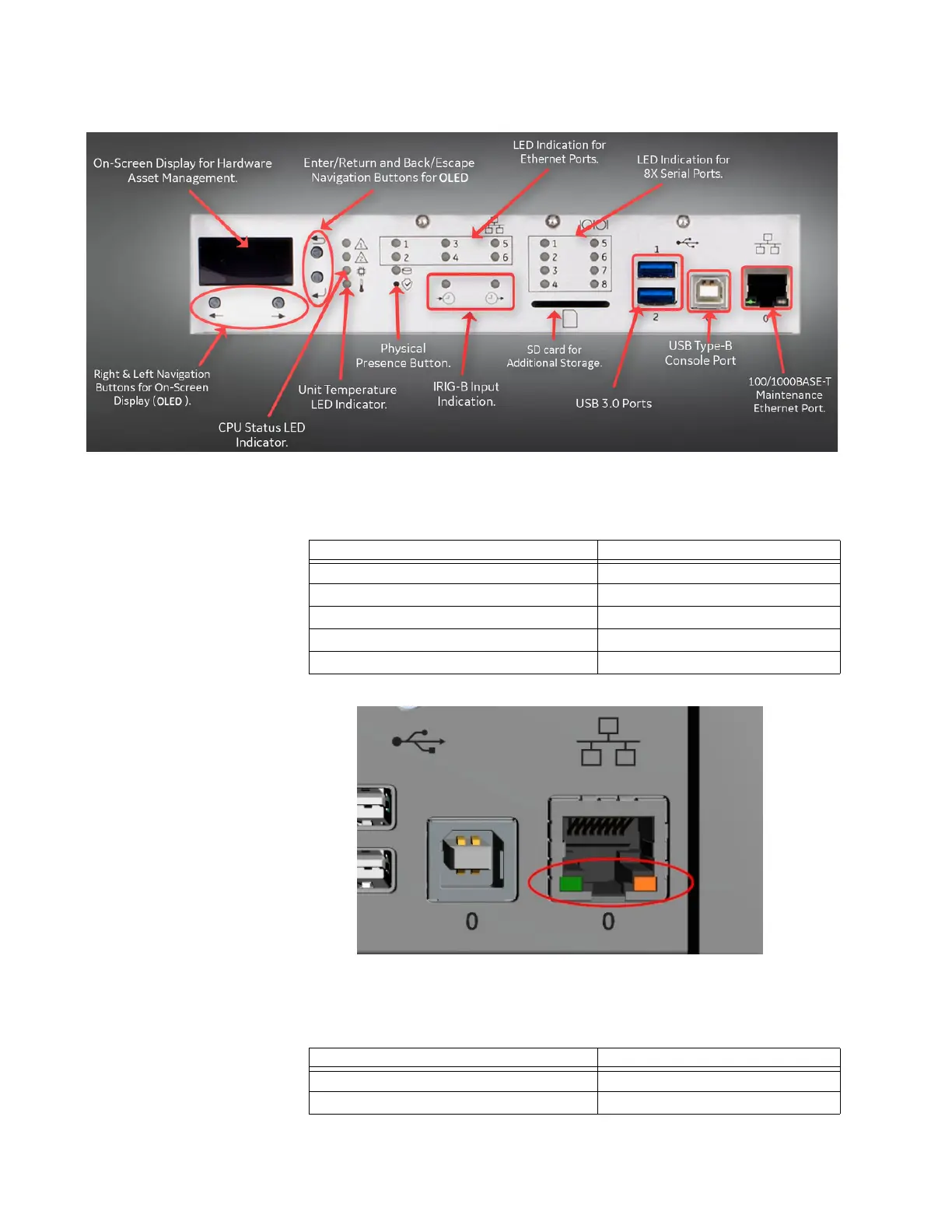
Ethernet
Orange and green LEDs located on the front of the unit in the Ethernet connector housing
indicate the status of the Ethernet link:
1000 MBit with activity Green blinking
Ethernet Port (SFP) LEDs
There are six LEDs located on the front of the unit indicate the status of the corresponding
rear SFP links:
STATUS INDICATIOR
No Link Off
100 MBit no activity Orange
100 MBit with activity Orange blinking
1000 MBit no activity Green
STATUS INDICATIOR
No Link Off
100 MBit no activity Orange



 To Next Page