4 Series 2000 Treadmill 2021403-028A
004
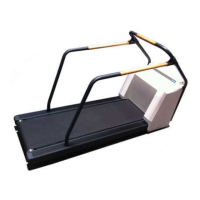
Assemble Emergency Stop Switch
1. Attach the two clamp pieces to the assembled, latching emergency stop
switch.
005
2. Position the clamps around the treadmill front handrail and secure with the
supplied screw and nut. The emergency stop switch can be mounted in
different locations and positions based on customer preference.
3. Connect the cable from the emergency stop switch to the mating connector on
the treadmill’s rear connector panel.
4. Use the cord clips to attach the cable along the front handrail and secure the
excess cable.
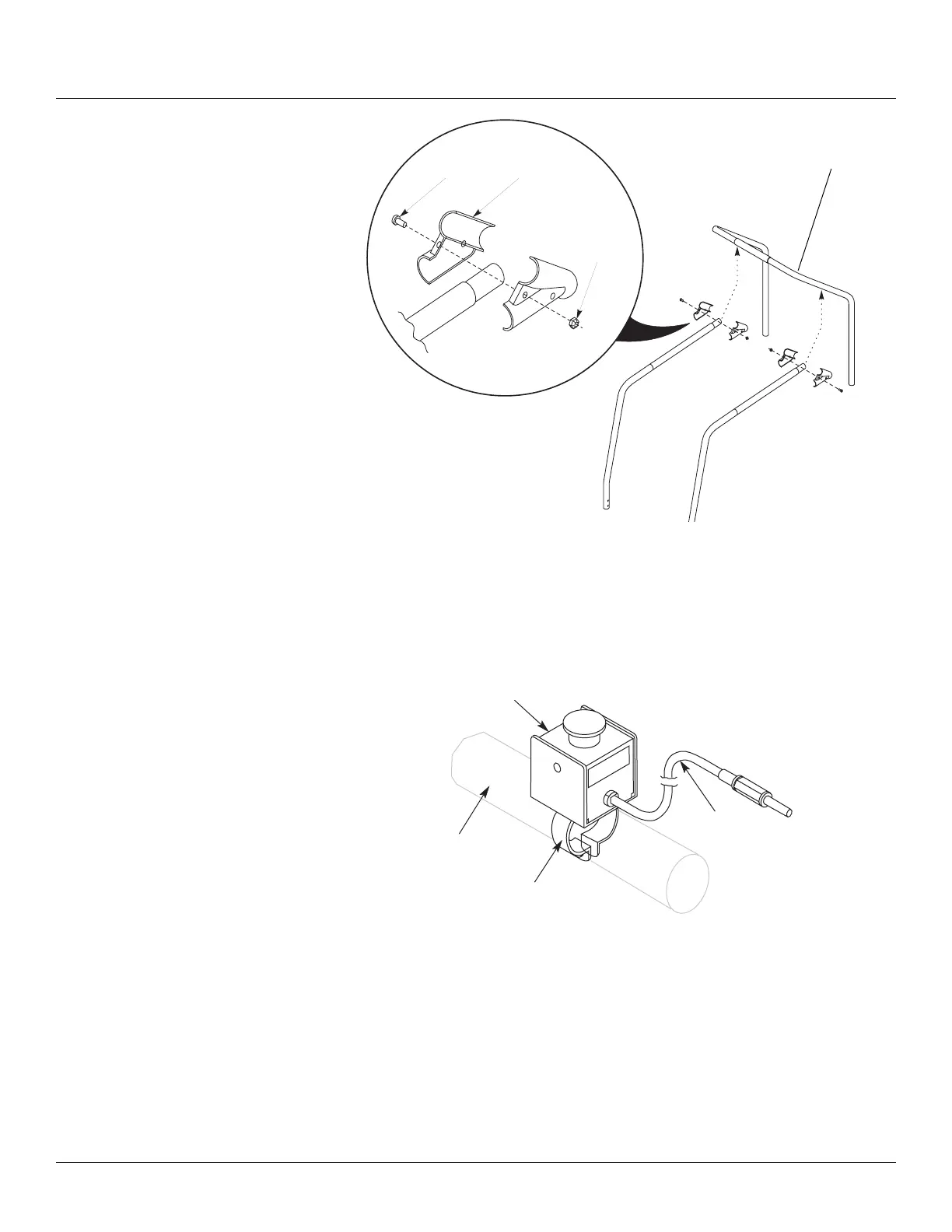
T-bracket
Bolts
2 Places
Nuts
2 Places
Typical two places
Align the side rails to the
predrilled guide holes in the
front rails.
Cable
Emergency Stop
Switch Assembly
Handrail
Clamp



 To Next Page