Vscan Air Configuration (for iOS and Android)
4-20 Vscan Air – User Manual
Direction GP092020-1EN
Rev 18
Configure DICOM Image Server
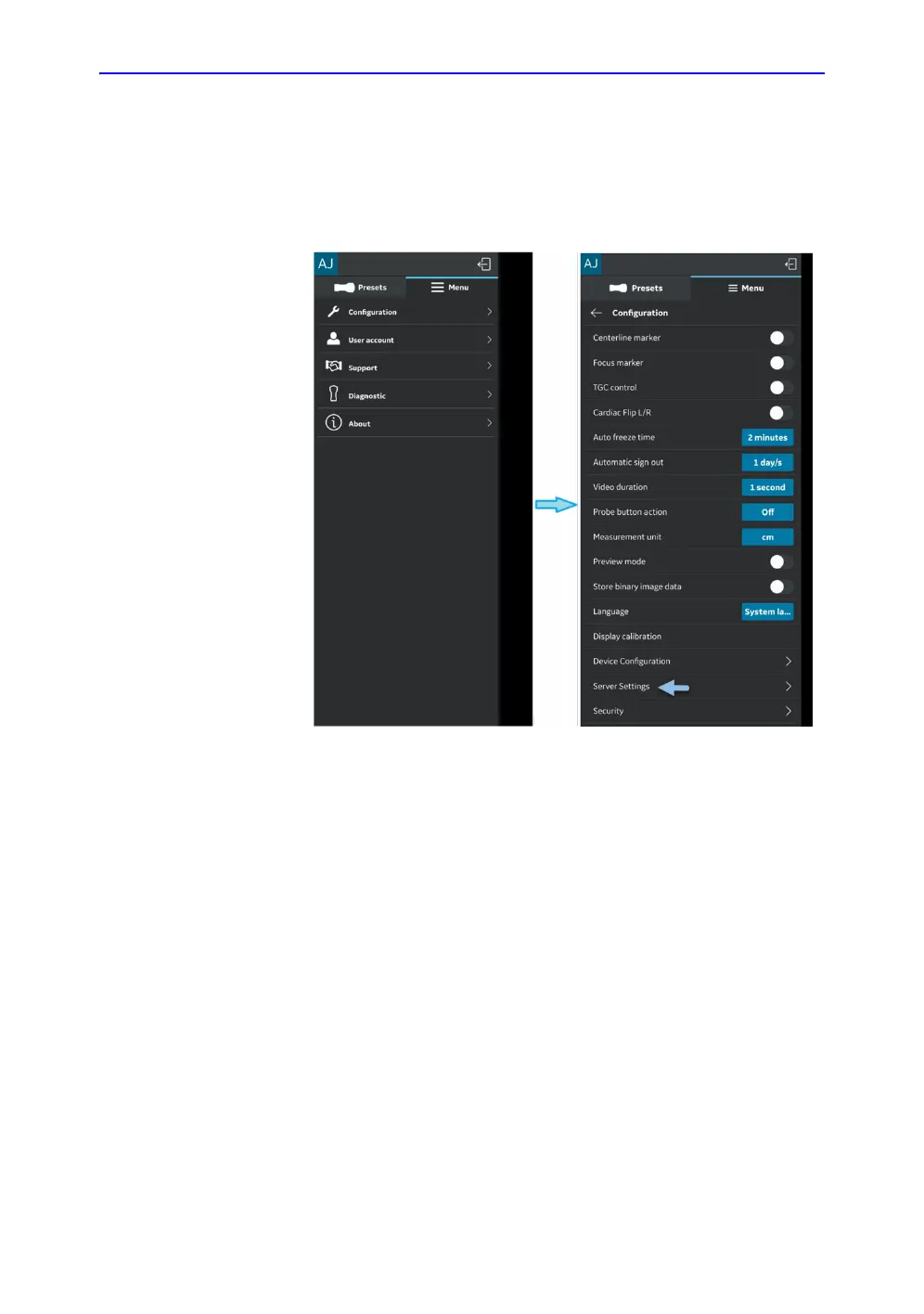
Follow the procedure below to configure a new DICOM Image
Server.
1. Press Menu -> Configuration -> Server Settings.
Figure 4-21. Server Settings


 To Next Page
 Loading...