20
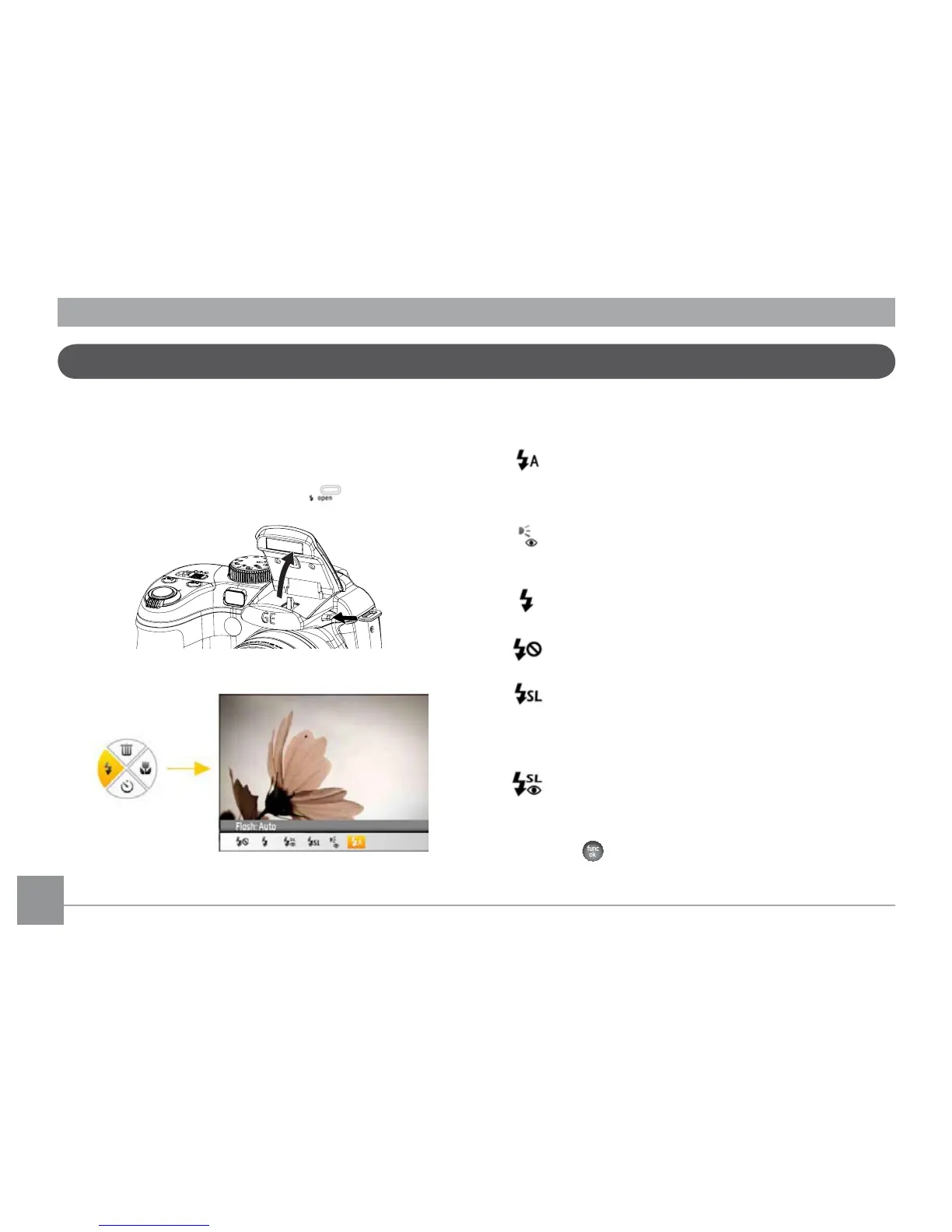
Open Flash
7KH¾DVKLVXVHGWRLOOXPLQDWHDVXEMHFWLQORZOLJKWRUIRU½OO
in lighting to achieve better illumination of a subject with
pronounced shadows.
7RWXUQRQWKH¾DVKSUHVVWKH¾DVK
button.
3UHVVWKHOHIWEXWWRQWRHQWHUWKH¾DVK)XQFWLRQVPHQX
3. Press the Left/Right button to select from the following 6
modes:
•
Flash: Auto
&DPHUD¾DVKJRHVRȖDXWRPDWLFDOO\EDVHGRQ
existing light conditions.
•
Flash: Red-eye reduction
7KHFDPHUDHPLWVDEULHI¾DVKEHIRUHWKHSLFWXUHLV
WDNHQWRUHGXFHUHGH\HHȖHFWV
•
)ODVK)RUFHG¾DVK
0DNHIRUFHG¾DVKDWWKHPRPHQWRIVKRRWLQJ
•
)ODVK)RUFHGRȖ
)ODVKLVWXUQHGRȖ
•
Flash: Slow Synchro
This allows for night scenery photos that include
people in the foreground. The use of a tripod is
recommended when shooting with this setting.
•
Flash:Red-Eye+Slow Synchro
Using this mode for slow synchro shots with red-eye
reduction.
4. Press the
EXWWRQWRFRQ½UPWKHVHWWLQJVDQGH[LWWKH
option.



 To Next Page