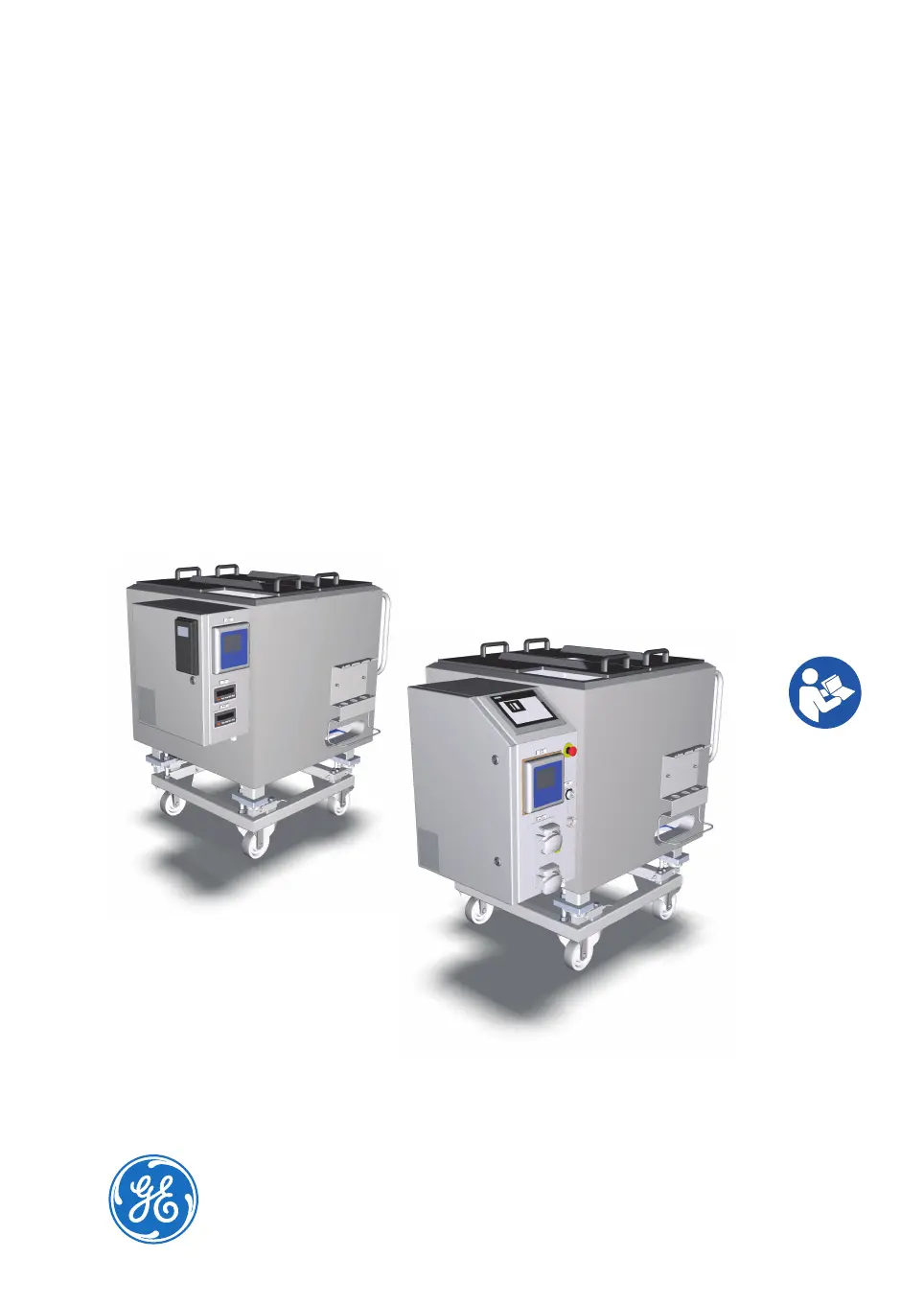
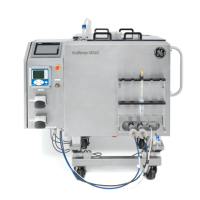
What to do if an error code is shown on the VFD display of GE Mixer?
- Aashley49Sep 9, 2025
Refer to the VFD manufacturer's manual for error code clarification. If the problem cannot be solved on site, contact your GE representative for help.
What to do if an error code is shown on the VFD display of GE Mixer?
Refer to the VFD manufacturer's manual for error code clarification. If the problem cannot be solved on site, contact your GE representative for help.
What to do if different probes in the same solution show different pH readings on GE Xcellerex XDM 50?
If different probes in the same solution show different pH readings: * Calibrate pH probes before use, because one of the pH probes may not be calibrated. * Replace the probe, because the probe may be at the end of its life cycle.
What to do if pH is not coming to equilibrium on GE Mixer?
If the pH is not reaching equilibrium even when the pumps are running, consider these possible causes and solutions: * Ensure the deadband is not set to 0, as pH control requires a deadband to prevent alternating introduction of acid and base. Define an appropriate deadband value for your process. * Check if the acid/base supply is empty and fill it if necessary. * Prime the pumps to ensure they are functioning correctly. * Inspect the feed lines for kinks or clamps and free them to ensure proper flow. * Conduct a study to verify the control parameters, considering factors like media quantity, pump type, acid and base concentration, mapping strategy, media buffering capability, and mixing of vessel contents.
What to do if tubing is worn out on GE Mixer?
All tubing used in the pumps will wear out with use over time. Move the section of worn out tubing to the left or right. Use only tubing rated for use in peristaltic pump head.
What to do if the pump is not turning on GE Xcellerex XDM 50?
If the pump is not turning: * Verify that the cause of the E-STOP condition is eliminated, and clear the E-STOP. Try to use the pumps again. * Clear the interlock condition.
What to do if pH sensor changes are very slow on GE Mixer?
If pH sensor changes are very slow, and two sensors change their readings at different rates, the pH sensor may need cleaning. If available, switch the input to the second pH channel. Keep probes clean between uses, and clean them with a solution designed to maintain their properties. Replace probes regularly.
What to do if temperature monitoring is not working as expected on GE Xcellerex XDM 50?
If temperature monitoring is not working as expected: * Switch to the second input of the temperature probe if possible. If the second input is not present or is not working, replace the probe. * Ensure the temperature probe is inserted into the thermowell.
What to do if the agitator does not start on GE Xcellerex XDM 50 Mixer?
If the agitator does not start, consider the following: * Check if the Min Weight interlock is active. Check the weight of the disposable bag. * If the system is in the state of E- STOP, tap RESET on the local control software home screen and start the agitator when the system has been restarted after emergency shutdown. Note: The agitator cannot be started while the system is in the state E-STOP.
What to do if agitator motor cannot be started on GE Mixer?
If the agitator motor cannot be started, check the following: * Ensure the power switch on the I/O Cabinet is in the I ON position. * Verify the power cable is connected. * If the issue persists, the drive may be broken, and you should contact your GE representative to replace it.
Why is variable frequency drive (VFD) not functioning as expected in GE Xcellerex XDM 50 Mixer?
The variable frequency drive (VFD) might not be functioning as expected due to: * The motor being overloaded. Acknowledge the agitator fault and attempt to restart the motor. If the error persists, contact GE for service. * The power cable not being connected. Connect the power cable. * The drive is broken. Contact your GE representative to replace the drive.
Emphasizes reading the entire manual, keeping it accessible, and operating only as described.
Specifies that mixers are for biopharmaceutical applications, not medical use, and not for explosive atmospheres.
Lists necessary user understanding and preparation for operating the mixers safely and correctly.
Outlines emergency shutdown procedures for XDM/XDUO mixers and actions for power or communication failures.
Explains the interlock conditions and results for the XDUO mixer, including weight and agitator interlocks.
Describes the operating principle of XDM and XDUO mixers for biopharmaceutical mixing applications.
Describes essential safety systems like emergency stop, labeling, burst disc, interlocks, and fuses.
Explains mixer automation for XDM and XDUO, including VFD control and local control software.
Overview of the XDUO mixer's local control software, including home screen and process variable displays.
Explains alarm overview and configuration screens, allowing users to manage alarm settings.
Details requirements for space, floor, electrical power, and environmental conditions for installation.
Explains how to use jacking bolts to engage and disengage them for stabilizing the mixer vessel.
Details procedures for calibrating pH/conductivity probes, autoclaving probe sheaths, and inserting probes.
Provides instructions for starting the system, operating the agitator motor, and monitoring parameters.
Guides on starting the system, logging in/out, connecting to FlexFactory, and managing data logging.
Details procedures for adding liquids into the disposable bag, including preparation and filling steps.
Explains how to add solid material into the disposable bag, considering aspects like agitation and material grain size.
Covers steps for collecting the product, removing the disposable bag, and shutting down the system.
Highlights safety measures for maintenance, including trained personnel, equipment shutdown, and contamination hazards.
Outlines user and calibration maintenance schedules, detailing frequency, activity, and performed by.
Provides the recommended procedure for safely turning off the instrument using LOTO.
Details the recommended procedure for safely turning on the instrument using LOTO.
Guides on the calibration and adjustment procedures for temperature probes.
Discusses the importance of cyber security measures to protect the product and data from threats.