12
OPERATING THE HI-DEF DIGITAL SIGNAGE MEDIA PLAYER
Accessing the Main Menu
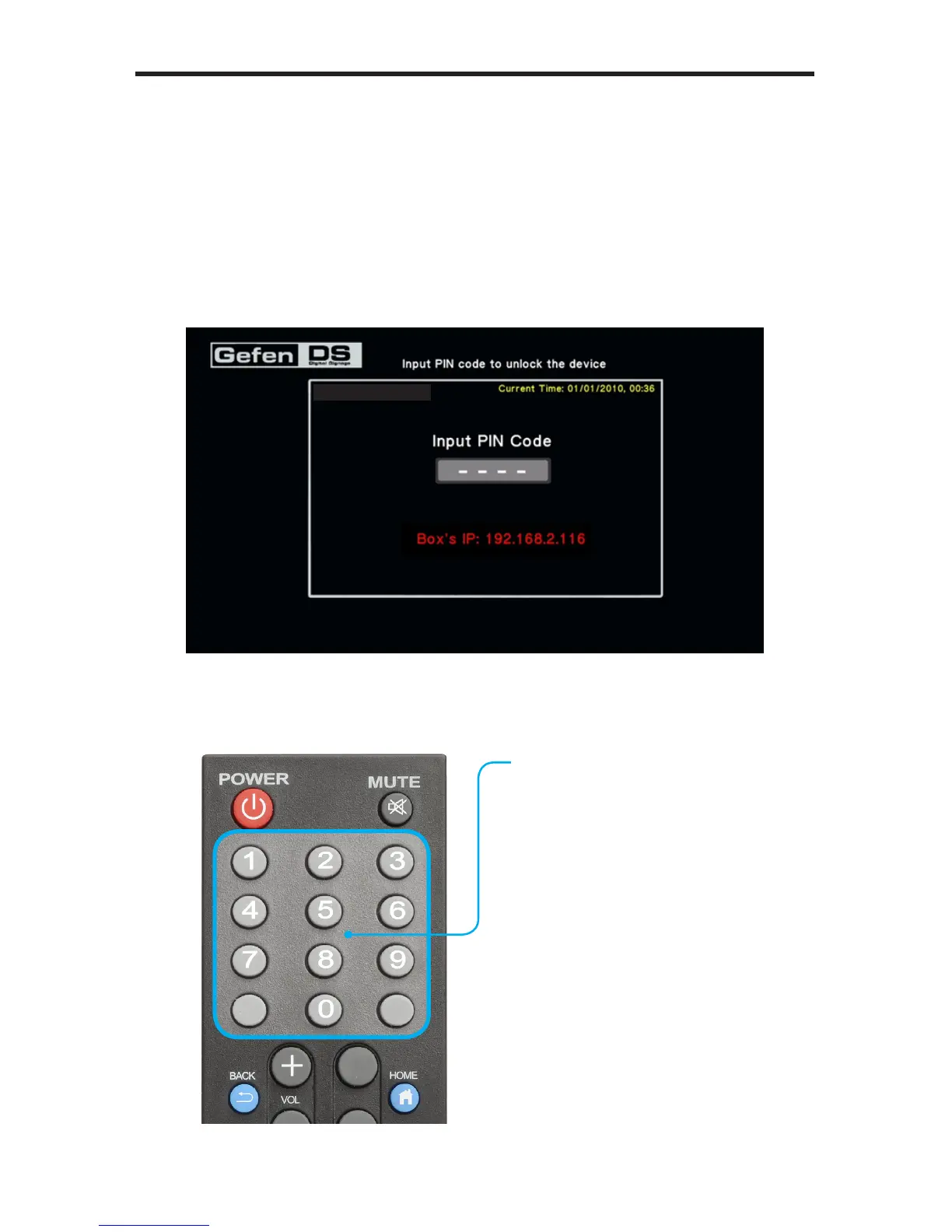
If no media is scheduled to play after the Media Player has nished booting, then
the PIN code screen will be displayed. The PIN code screen provides a secure
gateway to the Main Menu. The PIN code screen can be displayed at any time
by pressing the Home button on the IR Remote Control.
1. Press the Home button on the IR Remote Control.
2. The Input PIN code screen will be displayed.
3. Use the numeric keypad on the included IR Remote Control to enter the PIN
code. The default PIN code is: 0000.
Numeric Keypad
Use the numeric keypad on the
IR Remote Control to enter the
PIN code.
The Main Menu will automatically
be displayed if the correct PIN
code is entered.
S/W Version: Ver.0.9.7.3



 To Next Page