34
PUSH MODE / PULL MODE
4. Set the pushMode attribute to enable. Then, set the userName and
userPass attributes to the desired values. For most scenarios, the
port value should be set to 21.
5. Save the le to the USB drive.
Conguring the FTP Client
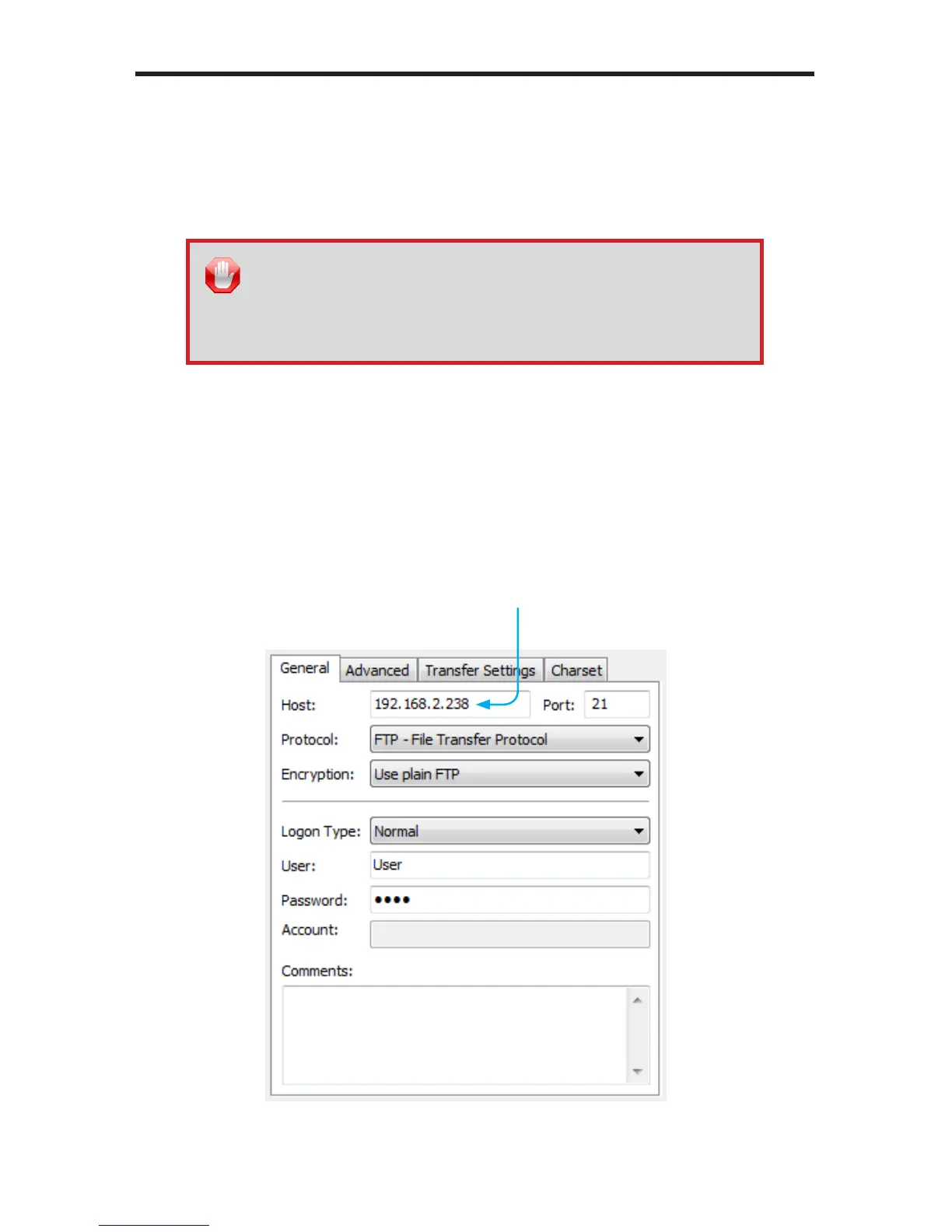
1. In the FTP client on your computer (or on the dedicated FTP server), enter
the IP address of the Hi-Def Digital Signage Media Player in the host name
eld.
IP address of Hi-Def Digital
Signage Media Player
STOP: Before inserting the USB drive back in the Hi-Def Digital
Signage Media Player, make sure you disconnect the power to
the unit. The USB drive must be connected to the Hi-Def Digital
Signage Media Player before power-up, in order for the new settings
to take effect.



 To Next Page