35
PUSH MODE / PULL MODE
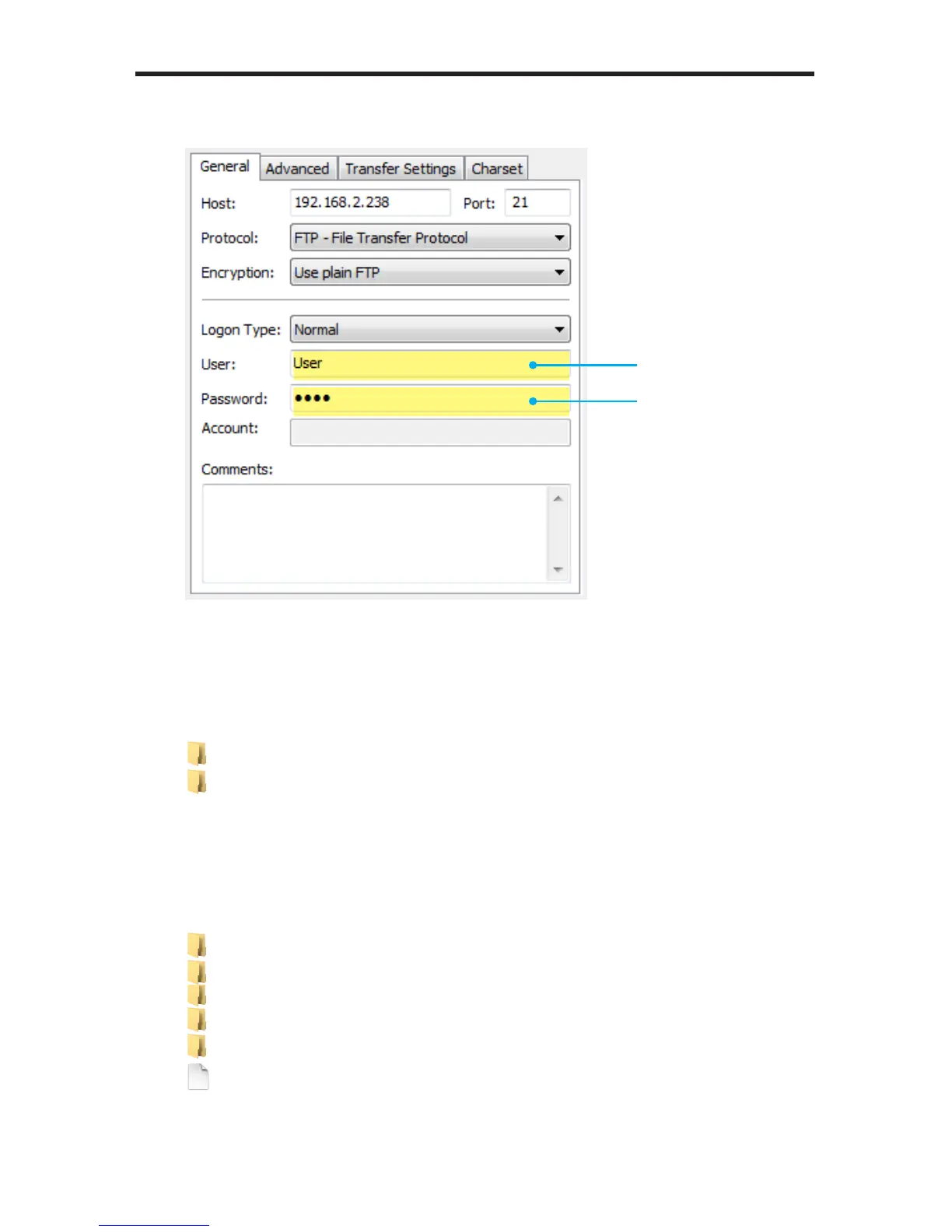
2. Enter the user name and password that were created on page 31.
3. Connect to the Hi-Def Digital Signage Media Player using your FTP client.
Once connected, you should see a directory listing similar to the following:
4. To see the contents of the Hi-Def Digital Signage Media Player storage
device, change to the /sda1 directory:
User name
Password
Filename Filesize Filetype
..
Logs Filefolder
media Filefolder
playlists Filefolder
schedules Filefolder
settings.xml 2,472 XMLDoc...
Filename Filesize Filetype
..
sda1 Filefolder



 To Next Page