19
MENU SYSTEM
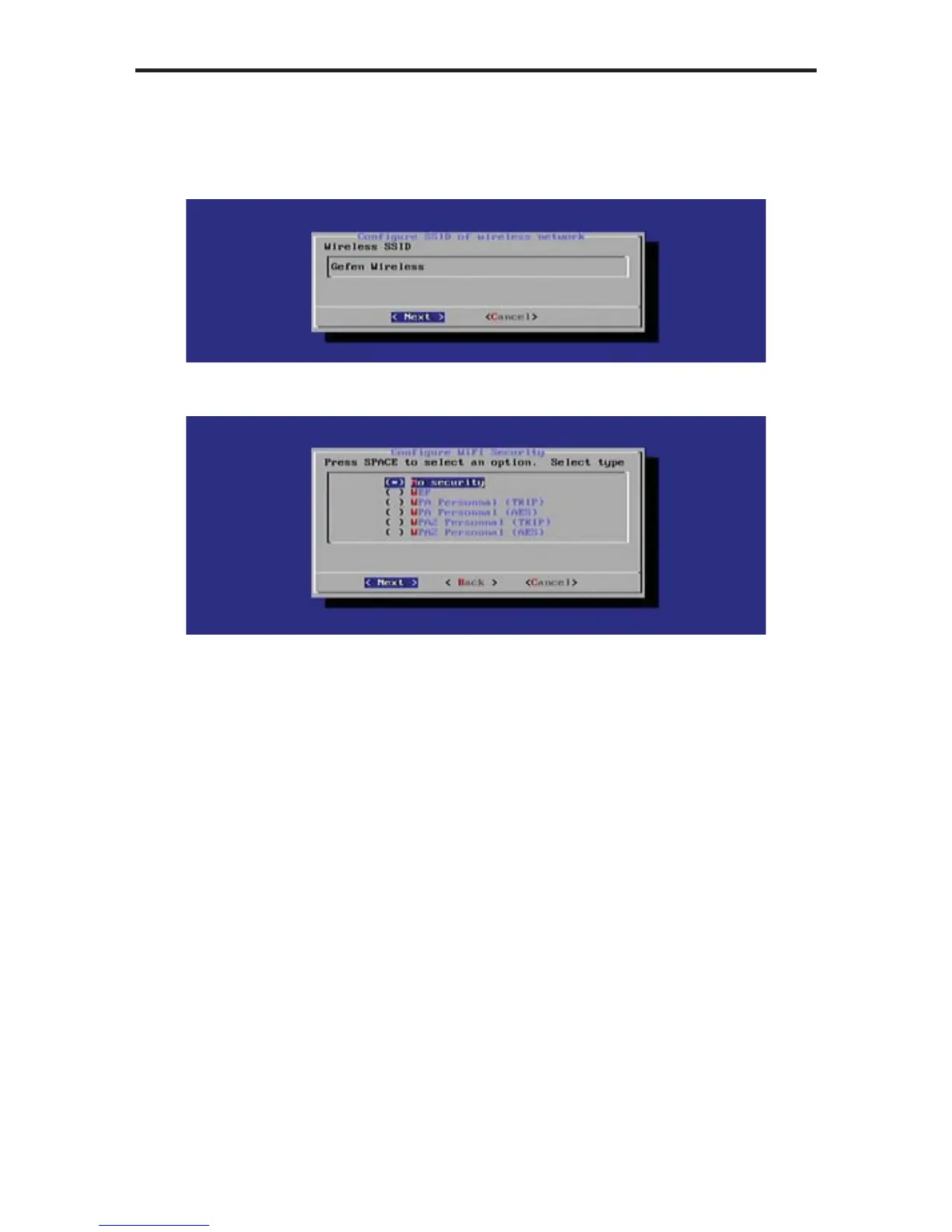
2. Enter the SSID of the wireless device that the Digital Signage Player will
connect with. In the example below, the SSID is “Gefen Wireless”.
Once the SSID has been entered, press the Enter key to continue.
3. Highlight the security option to be used when connecting to the network:
The Digital Signage Player supports the following security algorithms:
• No security (not recommended)
• WEP
• WPA Personal (TWIP)
• WPA Personal (AES)
• WPA2 Personal (TKIP)
• WPA2 Personal (AES)
4. Once the security option is highlighted, press the Spacebar to select it.
Then, press the Enter key to connect to the network.



 To Next Page