
EasyManua.ls Logo

GEM 1436 cPos - User Manual

GEM 1436 cPos
76 pages
Print Icon
To Next Page IconTo Next Page
Loading...
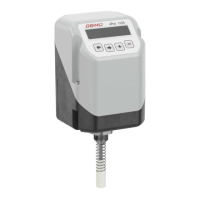
GEMÜ 1436 cPos
Intelligent positioner and integrated process controller
Operating instructions
EN
further information
webcode: GW-1436

Table of Contents

Questions and Answers

  • M
    martinezalanAug 19, 2025
    What to do if GEM Controller shows 'Air missing Warning'?
    • G
      George ScottAug 19, 2025
      If the GEM Controller displays 'Air missing Warning', it could be due to several reasons: leakage in the system, no compressed air supply, failure of the internal pilot valves, or the valve being mechanically locked. You should investigate each of these potential causes to determine the specific issue and resolve it.
  • V
    Vickie MeadowsAug 22, 2025
    What to do if GEM Controller displays Ix > 20 mA T Error hi?
    • J
      Jenna HoffmanAug 22, 2025
      When the GEM Controller displays 'Ix > 20 mA T Error hi', it signifies that the actual value signal is exceeding 20 mA. To resolve this, you should adjust the actual value signal.
  • A
    Amanda NicholsonAug 25, 2025
    What to do if GEM Controller displays Iw > 20 mA T Error hi?
    • K
      Kristen OlsenAug 25, 2025
      When the GEM Controller displays 'Iw > 20 mA T Error hi', this indicates that the set value signal is higher than 20 mA. To fix this, adjust the set value signal.
  • L
    lisawoodardAug 26, 2025
    What to do if GEM 1436 cPos displays Ix < 4 mA T Error lo?
    • L
      loridiazAug 27, 2025
      If the GEM Controller displays 'Ix < 4 mA T Error lo', it indicates a possible cable break at the actual value input. Check the cable connections to resolve this issue.
  • S
    Stephanie SanchezAug 28, 2025
    What to do if GEM 1436 cPos Controller displays Iw < 4 mA T Error lo?
    • T
      tateashleyAug 28, 2025
      If the GEM Controller displays 'Iw < 4 mA T Error lo', it suggests a cable break at the set value input. Examine the cable connections to address this problem.
  • A
    Andrew CarsonAug 30, 2025
    What to do if GEM 1436 cPos Controller displays 'TrvlSensErr Error'?
    • A
      Ashley OwenAug 30, 2025
      If the GEM Controller displays 'TrvlSensErr Error', it could be due to wrong mounting kit, incorrect mounting, a faulty travel sensor, or a faulty travel sensor connection. Inspect and correct the mounting or connections.
  • M
    matthew78Sep 1, 2025
    What to do if GEM 1436 cPos displays 'Leakage Error'?
    • E
      Elizabeth LopezSep 1, 2025
      If the GEM Controller displays 'Leakage Error', it means the positioner is in initialization mode. Check the pneumatic system for leakage and carry out initialization again.
  • M
    mackmeredithSep 3, 2025
    What to do if GEM 1436 cPos displays 'Wrong function Error'?
    • W
      wandacruzSep 3, 2025
      If the GEM Controller displays 'Wrong function Error', the wrong control function is set in the "CtrlFn" parameter. Set the parameter "CtrlFn" to AUTO or adjust according to the control function.
  • A
    asmithSep 5, 2025
    What to do if GEM Controller displays 'Pot wrong dir Error'?
    • R
      Richard GarrettSep 5, 2025
      If the GEM Controller displays 'Pot wrong dir Error', it indicates that the wrong control function is set. Adjust the parameter "CtrlFn" to match the control function to resolve this.
  • S
    shuffmanSep 8, 2025
    What to do if GEM Controller displays 'Pneumatic Error Error'?
    • E
      Erika HillSep 8, 2025
      If the GEM Controller displays 'Pneumatic Error Error', check the stroke of the pneumatic system, look for any leakage and verify the end positions. Also, observe the minimum control pressure of the valve.

Summary

Quick Commissioning

Automatic Quick Initialization

Guides the positioner through automatic setup for valve adaptation.

General Information

Document Scope and Safety Notes

Covers document scope, symbols, terms, and warning note structure.

Product Description

Construction, Functionality, and Features

Details physical components, materials, operation, and fail-safe features.

Technical Data

Medium, Temperature, and Pressure

Specifies operating parameters for medium, ambient temperature, and pressure.

Mechanical and Acoustic Data

Covers physical dimensions, weight, and noise emission.

Electrical Data

Details power supply, consumption, analogue/digital I/O, and outputs.

Dimensions

Mounting Dimensions and Options

Provides detailed measurements for positioner and various mounting configurations.

Manufacturer Information

Delivery, Transport, and Storage

Guidelines for product receipt, handling, and storage.

Assembly

Mounting Procedures and Checks

Covers assembly steps for various mounting configurations and mechanical checks.

Pneumatic Connection

Connection Diagrams and General Information

Illustrates pneumatic connections for different actuator types and general safety.

Electrical Connection

Power, I;O, and Digital Inputs

Details 24V supply, fieldbus, analogue/digital inputs, and outputs.

Fail-Safe Function

Commissioning

Initialization and Settings

Covers default setting, automatic/manual initialization, and throttle adjustments.

Operation

Basic Operation and Menu Navigation

Overview of display, buttons, menu levels, mode selection, and configuration access.

Menu Functions and Parameters

Details parameters for Service, SetBasics, SetFunction, SetCalibration, Communication menus.

Troubleshooting

Error Messages and Diagnostics

Lists error codes, conditions, causes, and diagnostic messages for troubleshooting.

Inspection and Maintenance

Cleaning and Spare Parts

Guidelines for product cleaning and information on spare parts.

Disassembly

Control Engineering Information

Control Circuit and Parameter Effects

Explains control loop basics, terminology, and parameter effects on system behavior.

Disposal and Returns

Disposal and Return Procedures

Instructions for environmentally sound product disposal and return process.

Compliance Declarations

EU Declarations (EMC, RoHS, Machinery)

Official declarations of compliance with relevant EU directives.

GEM 1436 cPos Specifications

General IconGeneral
BrandGEM
Model1436 cPos
CategoryController
LanguageEnglish