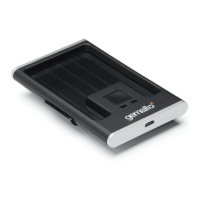
Document Reader AT10K User Guide Introduction
Page 8 of 29
Table of Contents
Electromagnetic Compatibility (EMC) .................................................................................................................................. 3
FCC/Canada Radio Frequency Rules and Regulations ...................................................................................................... 3
Disposal - European Directive 2011/65/EU ......................................................................................................................... 5
Packing for Transportation .................................................................................................................................................. 5
1. Introduction ....................................................................................................................................................................... 9
Supported documents and formats ..................................................................................................................................... 9
Imaging features................................................................................................................................................................ 10
Physical design features ................................................................................................................................................... 10
Common applications ........................................................................................................................................................ 11
Security features ............................................................................................................................................................... 11
True-colour/Anti-glare Technologies ................................................................................................................................. 12
Reader components .......................................................................................................................................................... 12
Status Indicator LEDs ........................................................................................................................................................ 14
2. Installing the Reader ....................................................................................................................................................... 16
Before you begin ............................................................................................................................................................... 16
Unpack the Reader ........................................................................................................................................................... 16
Install the software ............................................................................................................................................................ 17
Connect the reader cables ................................................................................................................................................ 17
Test the reader installation ................................................................................................................................................ 18
3. Reading Documents........................................................................................................................................................ 20
4. Maintenance .................................................................................................................................................................... 22
Cleaning the reader ........................................................................................................................................................... 22
Replacing the document glass .......................................................................................................................................... 22
5. Specifications .................................................................................................................................................................. 25
6. Troubleshooting .............................................................................................................................................................. 26
7. Customer Service ............................................................................................................................................................ 28
Returning the reader for maintenance ............................................................................................................................... 29


 To Next Page
 Loading...