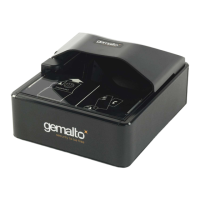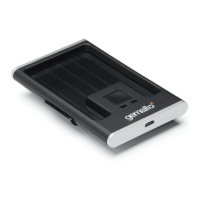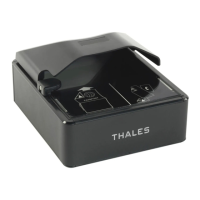
Why is my Gemalto Card Reader not communicating with my PC?
A
Alan MoonAug 1, 2025
If your Gemalto Card Reader isn't communicating with your PC, ensure the USB cable is properly connected to both the reader and the host. Also, verify that the necessary USB driver is correctly installed on your system. Make sure that only one reader is connected and only one instance of the host application is running to avoid conflicts.
S
Sara DoyleAug 5, 2025
How to fix Gemalto AT10K Card Reader when LEDs do not come on?
T
Tiffany KennedyAug 5, 2025
If the LEDs on your Gemalto Card Reader don't light up when you power it on, first ensure the reader is properly connected to a USB 2.0 host port and/or an external power supply. Also, verify that the power switch is in the On position. If the issue persists, the reader might be damaged.
C
Corey RodriguezAug 9, 2025
What to do if the Red cross is flashing on Gemalto Card Reader?
L
Lindsay ThompsonAug 9, 2025
If the red cross is flashing or constantly on your Gemalto Card Reader, it indicates that the reader has either failed its self-test or is damaged. To resolve this, disconnect all cables and turn the reader off. Then, plug in the PSU cable and turn it back on. Once it has successfully powered up, connect the USB cable. If the error continues, the device may need maintenance.
J
James PerryAug 13, 2025
Why is the Gemalto Card Reader demo application not working?
J
Jessica DavidAug 14, 2025
If the demo application for your Gemalto Card Reader isn't working, first check that only one copy of the application is running. If the issue persists, remove the existing application and reinstall the software. Also, ensure that no other applications or services are connected to the reader. Close or disable any conflicting applications or services and try the Gemalto demo application again. You may need PC administrative rights.
L
Lori JordanAug 18, 2025
Why does the Red cross LED illuminate when scanning a document on my Gemalto Card Reader?
T
Tina MurphyAug 18, 2025
If the red cross LED lights up when you scan a document with your Gemalto Card Reader, it could mean several things. It’s normal if the document lacks machine-readable data and only the image is captured. It may also indicate that the document is poorly printed or doesn't meet specifications. High ambient light can also cause this issue, so make sure ambient light compensation is enabled in the software SDK and that bright light isn't directly hitting the document window.
J
jessica02Aug 22, 2025
How to fix unresponsive Gemalto AT10K Card Reader?
D
David LopezAug 22, 2025
To solve Gemalto Card Reader unresponsiveness, close and restart the application. Disconnect USB and PSU from PC and then reconnect. Disconnect USB and PSU. Close application and then restart PC. Reconnect document reader to PC and then open application.
L
Logan ReynoldsAug 27, 2025
Why aren't USB peripherals working with my Gemalto AT10K?
H
Heather ClarkAug 27, 2025
If USB peripherals connected to your Gemalto Card Reader aren't powering on or functioning correctly, ensure you're using an external power supply. Check that the AC power source is working, the AC cable is connected to the power source, and the power cable is connected to the power supply port on the back panel.