10
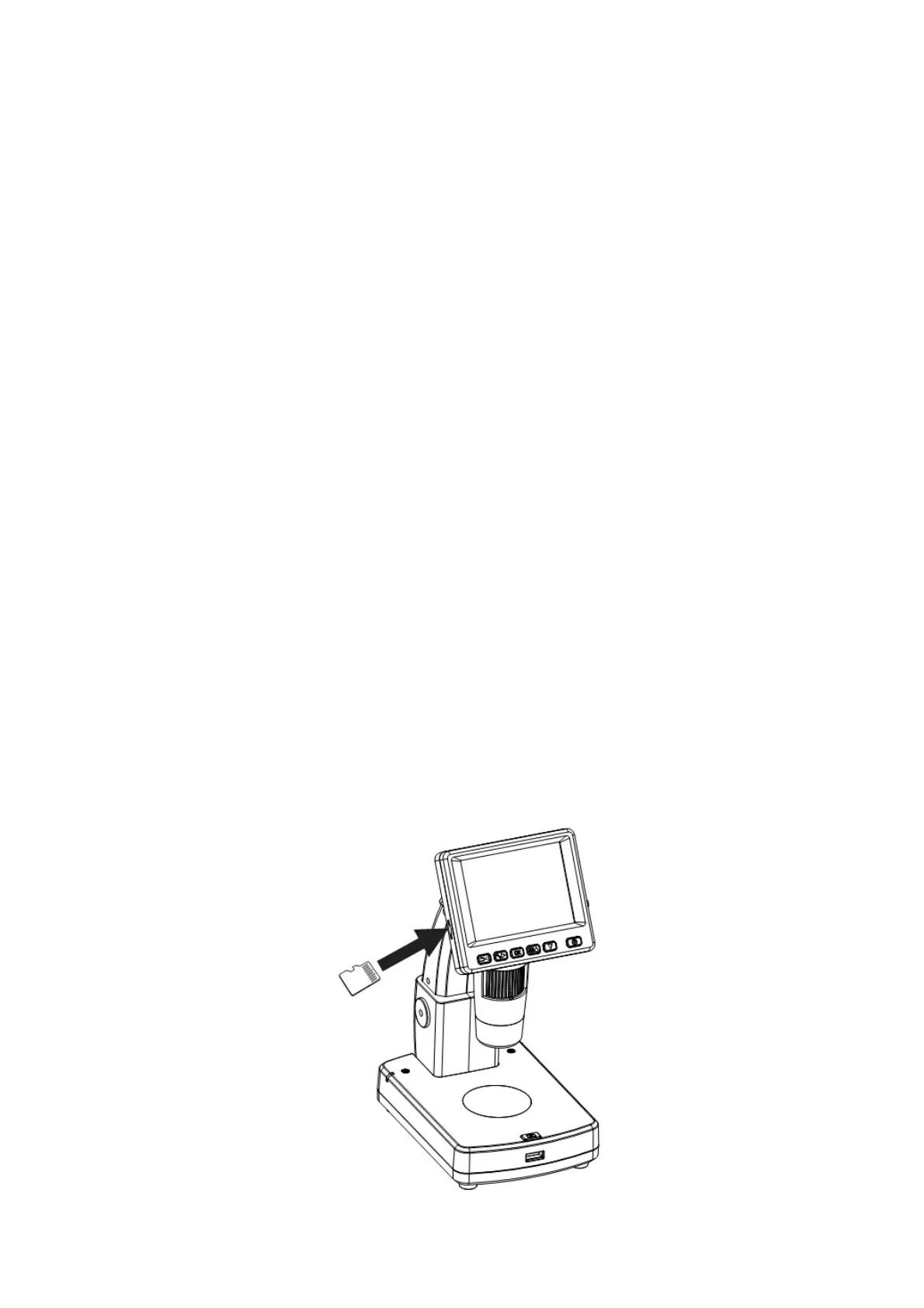
4.2 Insert a MicroSD Card ( included)
You must insert a MicroSDHC card to record and store
your pictures and videos.
Inserting the MicroSD memory card:
1) Turn off the microscope
2) Insert the MicroSDHC card into the MicroSDHC
card slot; gently press in until card is latched.
Note: Do not force the card into the slot; forcing may
damage microscope and the MicroSDHC memory
card. Align MicroSDHC card position (as marked) and
try again. The MicroSDHC memory card must be
formatted before capture.
See following instruction and Sec.5.2.6 Format SD.
Note: Please use SDHC Class C6~C10 card for
video recording. Lower speed card may get image
lag for fast moving object. For still image capture
lower speed card is acceptable.


 To Next Page