22
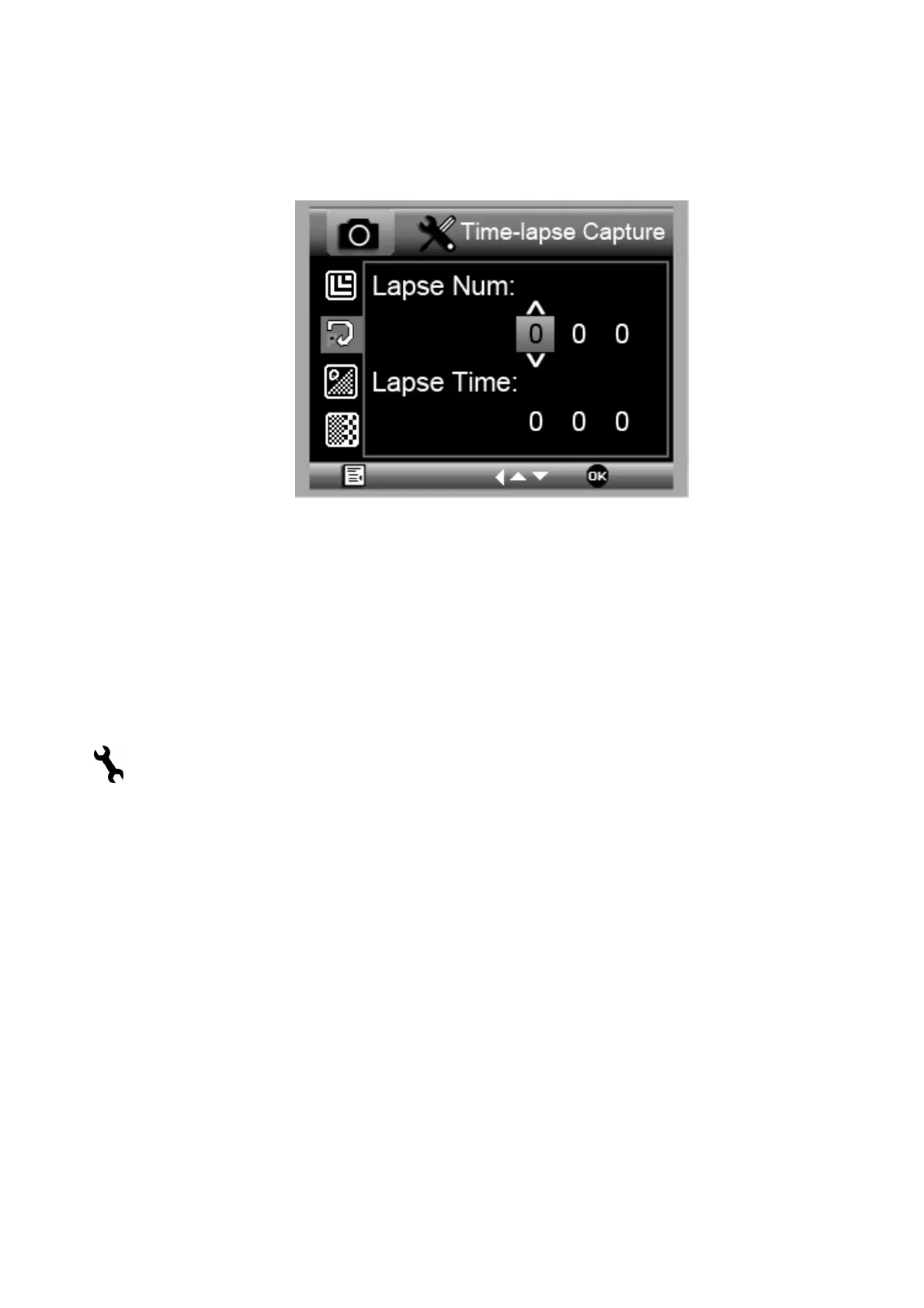
5.1.2 Time-lapse Capture
1) From the main menu Ⅰ, choose Time-lapse Capture
and then enter Timer setup:
Lapse Num: input quantity of frames you want to
take by UP/DOWN and LEFT ◄ buttons.
Lapse Time: input interval time between frame
capture by UP▲/DOWN▼ and LEFT◄.
2) Press OK to confirm selection and press Menu Setup
(
)back to preview status. Then press Capture (8) to start
auto capture. When at auto capture status, the image
quantity would be less down on the right up corner.
3) When all frames captured, microscope will return to
normal preview.
For video time-lapse recording, select video
recording mode and the process of setting is the
same. Recording time is fixed at 90 seconds per
frame.


 To Next Page