21
5. Menu Introductions
5.1 Main MenuⅠ
Press
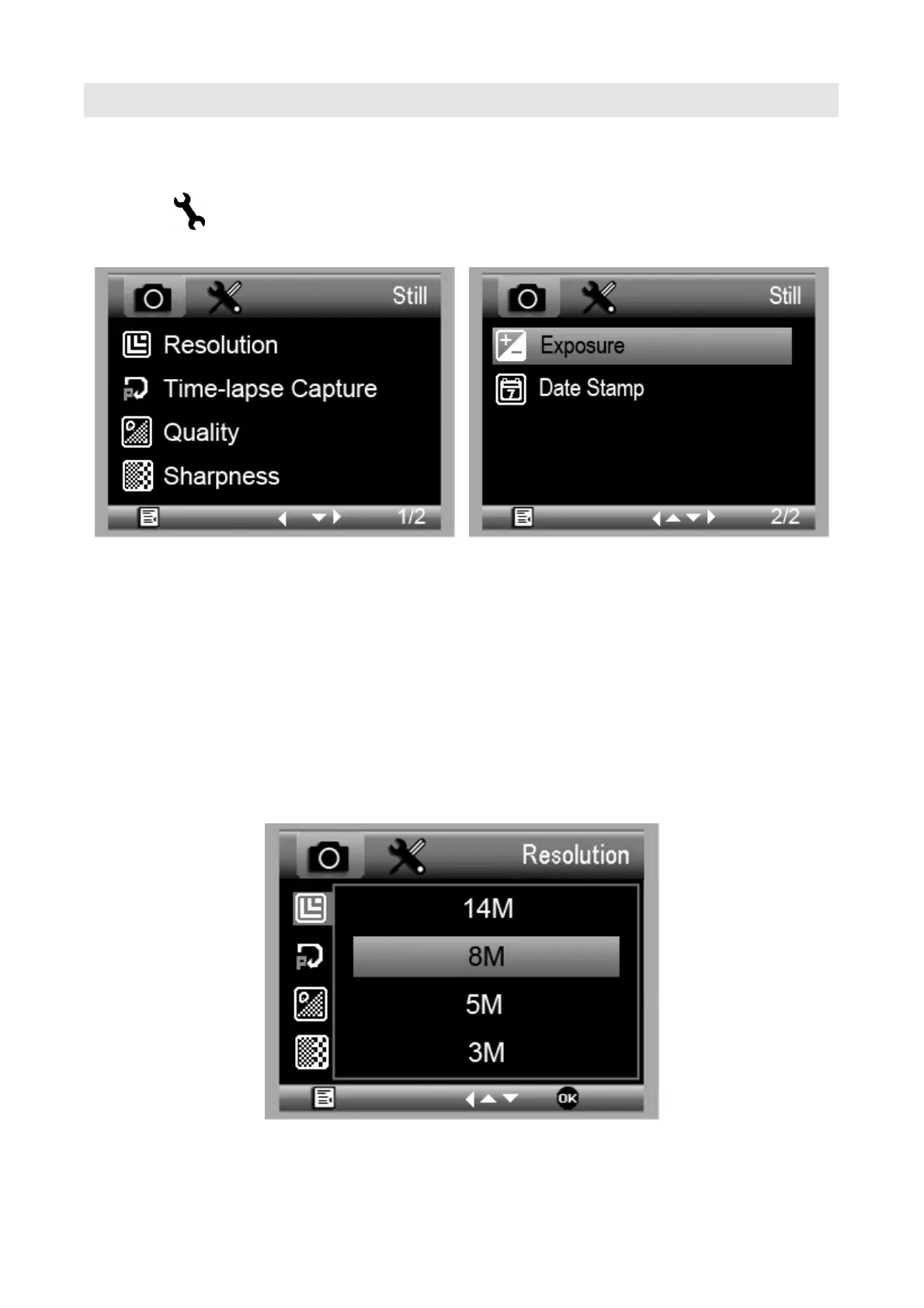
to enter main menuⅠ as follows:
Here you can setup Resolution/Timer/Quality/
Sharpness/Exposure/Date Stamp
5.1.1 Set Resolution
1) From the main menuⅠ, choose Resolution and
select a resolution between WVGA/2M/3M/5M/8M/14M.
2) Press OK to confirm selection.


 To Next Page