Home
Gemax
Microscope
Pro
Page 29 (Frequency)
Gemax Pro - Frequency; Format SD
50 pages
Manual
Save Page as PDF
To Next Page
To Next Page
To Previous Page
To Previous Page
Loading...
28
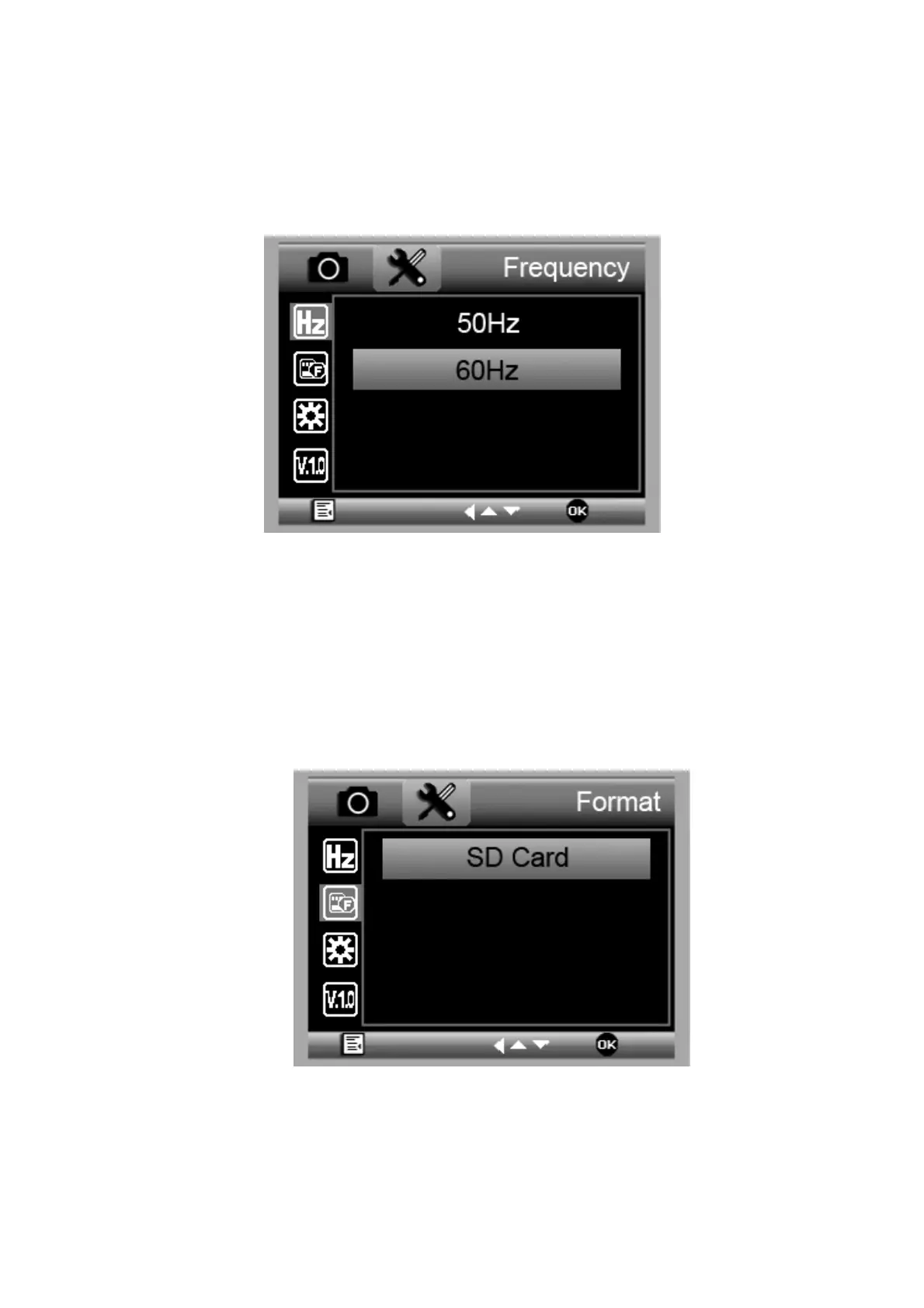
5.2.5 Fr
equency
From the mai
n menu
Ⅱ
, choose F
requ
ency betw
een
50Hz and 60
Hz.
5.2.6 Fo
rmat micro
SD
card
From the main
menu
Ⅱ
, choose Format
SD to
forma
t the MicroSD ca
rd inserted
.
All the files in the
card will be
deleted
af
ter card
formatt
ing
28
30
Table of Contents
Main Page
Default Chapter
2
Table of Contents
2
1 Precaution
4
2 Preparation
6
Standard Accessories
6
Gems Tools
7
Part Names & Functions
8
3 Key Features
9
4 Use the Microscope
10
Install Battery
10
Insert a Microsd Card
11
Display Icons & Meanings
12
Turn on the Microscope
13
Turn off the Microscope
14
How to Capture
14
Take Photo & Record Video
16
Playback
17
Download to Computer
20
Preview on Computer
20
Charge Battery
21
5 Menu Introductions
22
Set Resolution
22
Time-Lapse Capture
23
Quality
24
Sharpness
25
Exposure
25
Date Stamp
26
Date/Time
27
Auto Power off
27
Language
28
TV Mode
28
Frequency
29
Format SD
29
Default Setting
30
Version
30
6 Specifications
31
7 Computer System Minimum Requirement
31
8 Troubleshooting
32
Gemaxportablecapturepro Software Introductions.32
33
Install Software
33
Start Microscope
34
Software Introduction
35
Capture Photo
35
Capture Video
35
Timer
36
Calibration & Measurement
37
Calibration
37
Measurement
41
Software Interface Instructions
46


 To Next Page