EasyManua.ls Logo

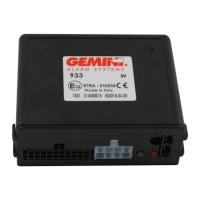
Gemini 933 Series - User Manual

Gemini 933 Series
9 pages
Print Icon
To Next Page IconTo Next Page
Loading...
Made in Italy
AC 2784 Rev. 05 - 12/12
UK
INSTALLATION AND
USE MANUAL
INSTALLATION CERTIFICATE
The undersigned qualified installer attests having personally fitted the here described vehicle
security system following the manufacturer instructions.
................................................
..........................................................................................................................
By :
Sold on :
T:ype of product
V:ehicle
SERIE 933
933
932
933
932
GEMINI Technologies S.p.A.
Via Luigi Galvani 12 - 21020 Bodio Lomnago (VA) - Italia
Tel. +39 0332 943211 - Fax +39 0332 948080
Web site: www.gemini-alarm.com
Azienda Certificata ISO 9001
Question and Answer IconNeed help?

Do you have a question about the Gemini 933 Series and is the answer not in the manual?

Gemini 933 Series Specifications

General IconGeneral
BrandGemini
Model933 Series
CategorySecurity System
LanguageEnglish

Summary

Installer Manual - Connectors and Diagrams

Connectors Tables

Lists the functions and wire colours for the 20-way and 8-way system connectors.

20-way Connector Details

Detailed breakdown of wire functions and colours for the 20-way connector.

8-way Connector Details

Detailed breakdown of wire functions and colours for the 8-way connector.

Complete Electric Diagram

Provides a comprehensive wiring diagram for the 933 unit with a supplied siren.

Installer Manual - System Connections

Connection for Turn Signals Activation

Instructions on how to connect the system for turn signal activation.

Standard Turn Signal Connections

Wiring method for standard left and right turn signal indicator connections.

Connections for Vehicles with Separate Lines

Wiring for turn indicators on vehicles with separate left/right indicator lines.

Installer Manual - Programming and Learning

Vehicle Code Programming

Procedure for configuring the system according to specific vehicle models using code input.

Self-Learning of Turn Indicators Flashes

Process for the system to learn vehicle's locking and unlocking turn signal flashes.

Installer Manual - System Programming Options

Installer Manual - Device Management and Reset

Adding New Devices

Procedure to add new devices to the system's memory, noting storage capacity and overwrite rules.

Deleting Programmed Devices

Steps to erase all previously programmed devices from the system memory.

System Reset

Procedure to restore the system to its factory default settings.

Installer Manual - Advanced Features and Specifications

Related product manuals