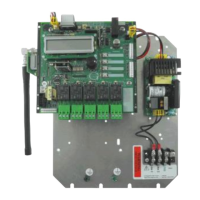
RXC-3000 Hardware Installation and User Guide
9000-0000-040 Revision 10 11 of 46 Genave Electronics
Menus And What They Mean
Displays the user program
running in the RXC-3000.
Displays the unit’s settings
for System, Group and Unit.
Displays the current time
and date when equipped
with the Real Time Clock.
Displays the number of log entries in
the action history. (Max is 512)
A double click of the “twist-n-touch”
knob will allow you to go through the
logs. (refer to Prog. Guide Sec. 10)
frequency, Wide/Narrow
band, and DCS/CTCSS code.
“twist-n-touch” knob will allow
entry into the settings menus.
Displays the last decoded
DTMF signal received.
Note: Sub-menu screen will time out in 3 minutes and return the RXC-3000
to normal operation without Twist-n-Touch knob movement.
Live DTMF* and LIVE TTS PAGING* do not time out.


 To Next Page
 Loading...