EasyManua.ls Logo

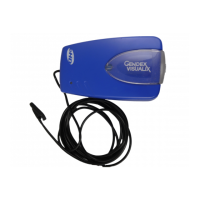
Gendex DenOptix QST - User Manual

Gendex DenOptix QST
68 pages
Print Icon
To Next Page IconTo Next Page
Loading...
Phosphor Imaging Plate Technology
Gendex Dental Systems
901 West Oakton Street
Des Plaines, IL 60018 U.S.A.
Tel 1-888-275-5286
Fax 1-847-550-1322
www.gendex.com
Authorized Representative:
KaVo Dental GmbH
Bismarckring 39
88400 Biberach, Germany
www.gendex-dental.com
www.kavo.com
User Manual
Installation Manual

Table of Contents

Other manuals for Gendex DenOptix QST

Questions and Answers

  • J
    Joshua TaylorSep 14, 2025
    How to troubleshoot no power and no green light on Gendex Dental equipment?
    • K
      Kayla GarciaSep 14, 2025
      If your Gendex Dental equipment is not getting power and the green light is off, here are a few things to check: * Make sure the scanner is plugged in. Check the power cord at the outlet and the connection on the back of the scanner. Then, turn on the scanner, computer, and monitor. * Ensure that the outlet is grounded and has power.
  • J
    jconradSep 16, 2025
    What to do if the image is too dark on my Gendex Dental equipment?
    • R
      Richard BenjaminSep 16, 2025
      If your Gendex Dental equipment image is too dark, it might be because the imaging plate has been overexposed. You can adjust the brightness using the software. If that's not effective, retake the image at a lower exposure.

Gendex DenOptix QST Specifications

General IconGeneral
ConnectivityUSB
Sensor Size0, 1, 2, 3, 4
Imaging TechnologyPhosphor Storage Plates
Dimensions30 cm (H) x 23 cm (W) x 36 cm (D)
Weight12 kg
Sensor TypePhosphor Plate
Focal Spot SizeNot applicable

Related product manuals