General Information and Setup
4 Installation and Users Manual for Mobile Link
®
Section 2: General Information and Setup
Introduction
This section of the manual describes the fea-
tures and controls of the Mobile Link Wi-Fi/
Ethernet remote monitoring system. Ever y
effort was made to ensure that the informatio n
and instructions in this manual were both
accurate and current at the time the manual
was written. However, the manufacturer
reserves the right to change, alter, or other-
wise improve this product or manual at any
time without prior notice.
Description
The Mobile Link Wi-Fi/Ethernet remote moni-
toring system allows generator status and
operating information to be monitored fro m
anywhere the owner has access to a local Wi-
Fi and/or Ethernet network. The Mobile Link
Wi-Fi/Ethernet unit is mounted on the inside of
the generator and communicates with the
generators controller via a serial port.
After the generator is registered wit h
www.MobileLinkGen.com owners can log
onto the website to check on the current sta-
tus of the generator at any time. Registering
the generator also enables the system to
notify the owner of any change in operating
status.
The owner will be contacted by e-mail, push
notifications, or text messages if alarms or
warnings occur. The delivery method and fre-
quency of these alerts can be adjusted on the
website.
NOTE: E-mail and text notifications can b e
managed through the website. Push notifica-
tions are also available and can be managed
through the use of the Mobile Link App. See
Mobile Link Cellular App for downloadin g
instructions.
Website Information Screens
The Mobile Link Wi-Fi/Ethernet unit sends
messages to alert the owner when scheduled
maintenance is required on the generator. The
generators total run hours can be viewed, and
a log of completed maintenance can be gen-
erated.
Generator exercise time can also be checked
and altered, if desired, through visitin g
www.MobileLinkGen.com.
Wire Harness Part Numbers
10000038669 Mobile Link Accessory to
Evolution 2.0 Controller
10000030045 Mobile Link Accessory to Pre-
Evolution 2.0 Controller
G0064780 Mobile Link Adaptor Kit for
Liquid Cooled Product
Mobile Link Wi-Fi/Ethernet
Information Screen
See Figure 2-1 and Figure 2-2. Logging into
the Mobile Link App launches an Information
Screen. The Information Screen displays an
overview of each generator being monitored
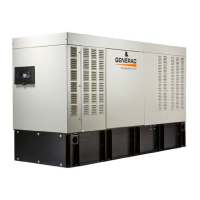
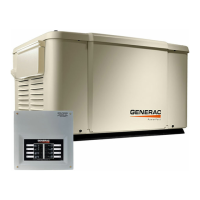
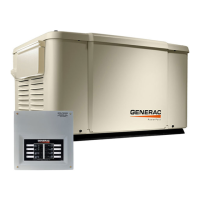
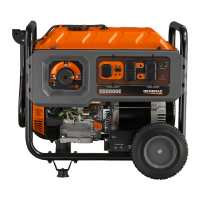
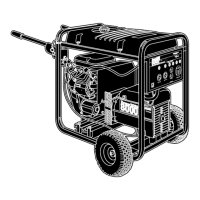
by Mobile Link. A picture of the generator
appears on screen against a color-coded
background. Background color indicates at-a-
glance operating status:
Green: Generator is ready to operate.
Blue: Generator is currently operating.
Yellow: Generator requires maintenance,
but is otherwise ready to operate.
Red: Generator has a functional problem
and requires immediate service, or genera-
tor is set to OFF.
Gray: Generator not connected to Mobile
Link.
An instrument cluster (A) displays total gener-
ator running time, time on backup power, time
on exercise, battery voltage, and fuel level
(diesel units only).




 To Next Page