Mobile Link Cellular App
14 Installation and Users Manual for Mobile Link
®
Section 6: Mobile Link Cellular App
Download the Mobile Link Cellular for Genera-
tors app:
See Figure 6-1. The Mobile Link Cellular app
provides generator data optimized for your
mobile device:
View current generator status and upcom-
ing maintenance needs.
Remotely set the generators exercise time.
Review generators run and maintenance
history.
Receive generator status change mes-
sages, alarms, or warnings through e-mail,
push notifications, or text messages.
Figure 6-1. Mobile Link Cellular for
Generators App
Mobile Link Setup App
Mobile Link Setup app guides users through
the wireless connection process, allowing the
generator to communication with the home
Wi-Fi network.
NOTE: For additional connection assistance,
or for inquires about a Mobile Link Dealer-
Managed plan, contact an IASD.
After Connection
Once connected, users should download the
free Mobile Link for Generators app to moni-
tor generator status from anywhere at any
time. Users can:
See generator status and upcoming
maintenance needs.
Set generator exercise schedule.
See generators run and maintenance
history.
Be alerted when the generator status
changes.
Update generator software.
Dealer-Managed Plan
The Dealer-Managed Plan allows a local
dealer to gain detailed insights on the operat-
ing status of the connected generator to help
provide informed, timely, and even remote
generator service. The plan provides:
Rapid and remote assistance with fault or
warning messages.
Remote control and update of maintenance
schedule information.
On-demand generator test execution for
diagnostic purposes.
Increased attention and involvement in the
generators health and performance.
Contact a participating IASD for more informa-
tion.
Compatibility
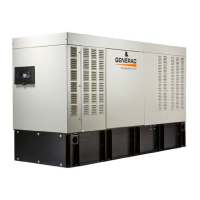
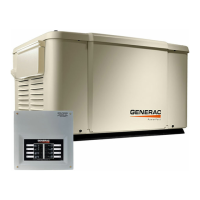
Mobile Link and Mobile Link Setup apps
work with select automatic home standby gen-
erators from Generac, Centurion, Honeywell,
Eaton, and Siemens.
010517




 To Next Page