Remote Control Operation
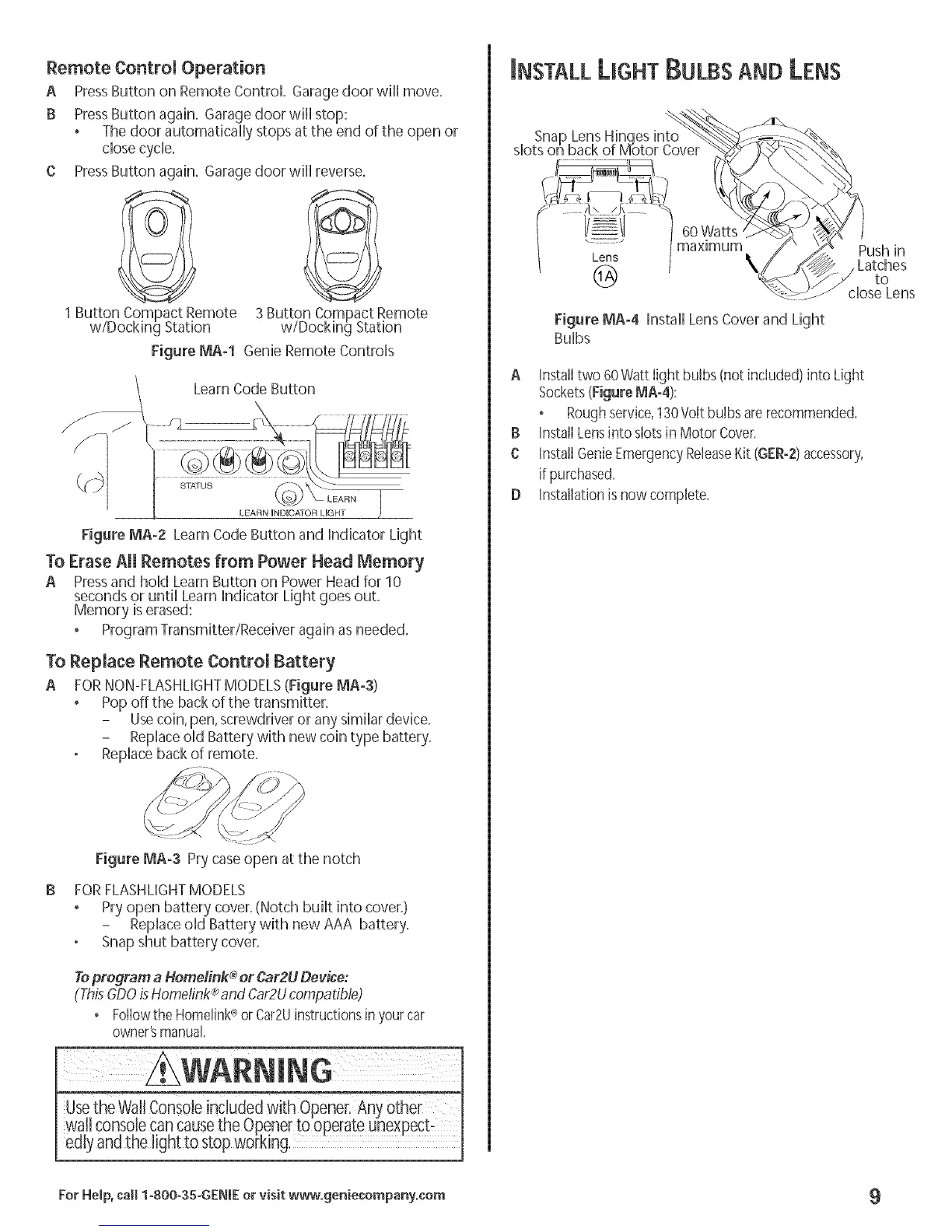
A PressButton on Remote Control. Garage door will move.
B PressButton again. Garage door will stop:
The door automatically stops at the end of the open or
close cycle.
C PressButton again. Garage door will reverse.
1 Button Compact Remote
w/Docking Station
Figure MA-I Genie Remote Controls
Figure MA-2 Learn Code Button and Indicator Light
To Erase All Remotes from Power Head Memory
A Pressand hold Learn Button on Power Head for 10
seconds or until Learn Indicator Light goes out.
Memory iserased:
Program Transmitter/Receiver again as needed.
To Replace Remote Controm Battery
A FORNON-FLASHMGHTMODELS(Figure MA-S)
, Pop off the back of the transmitter.
- Usecoin, pen,screwdriver or any similar device.
- Replaceold Battery with new coin type battery.
Replace back of remote.
Figure MA-3 Pry caseopen at the notch
FORFLASHLIGHTMODELS
Pry open battery cover,(Notch built into cover,)
- Replaceold Battery with new AAA battery,
Snap shut battery cover,
Toprogram a Homefink ®or Car2UDevice:
®
(ThisGDOis Home/ink and Car2Ucompatible)
• Fotlowthe Homelink<_or Car2Uinstructionsin yourcar
owner'smanual.
le included _ener: A
walt consolecancausethe Openerto operate unexpecb
edlyandthe light to stop working,
NSTALLLIGHTBULBS AND LENS
Snap Lens Hinqes into _
slots on back of Motor Cover
60 Watts
........ maximum
Lens
@
Figure MA-4 Install Lens Cover and Light
Bulbs
A Installtwo 60Watt light bulbs (not included) into Light
Sockets(FigureMA-4):
° Roughservice,130Volt bulbs arerecommended.
B InstallLensinto slots in Motor Cover.
C Install GenieEmergencyReleaseKit (GER-2)accessory,
if purchased.
D Installationis now comp]ete.
Push in
Latches
to
close Lens
For He_p, call 1-800-35-GENIE or visit www.geniecompany.com 9



 To Next Page