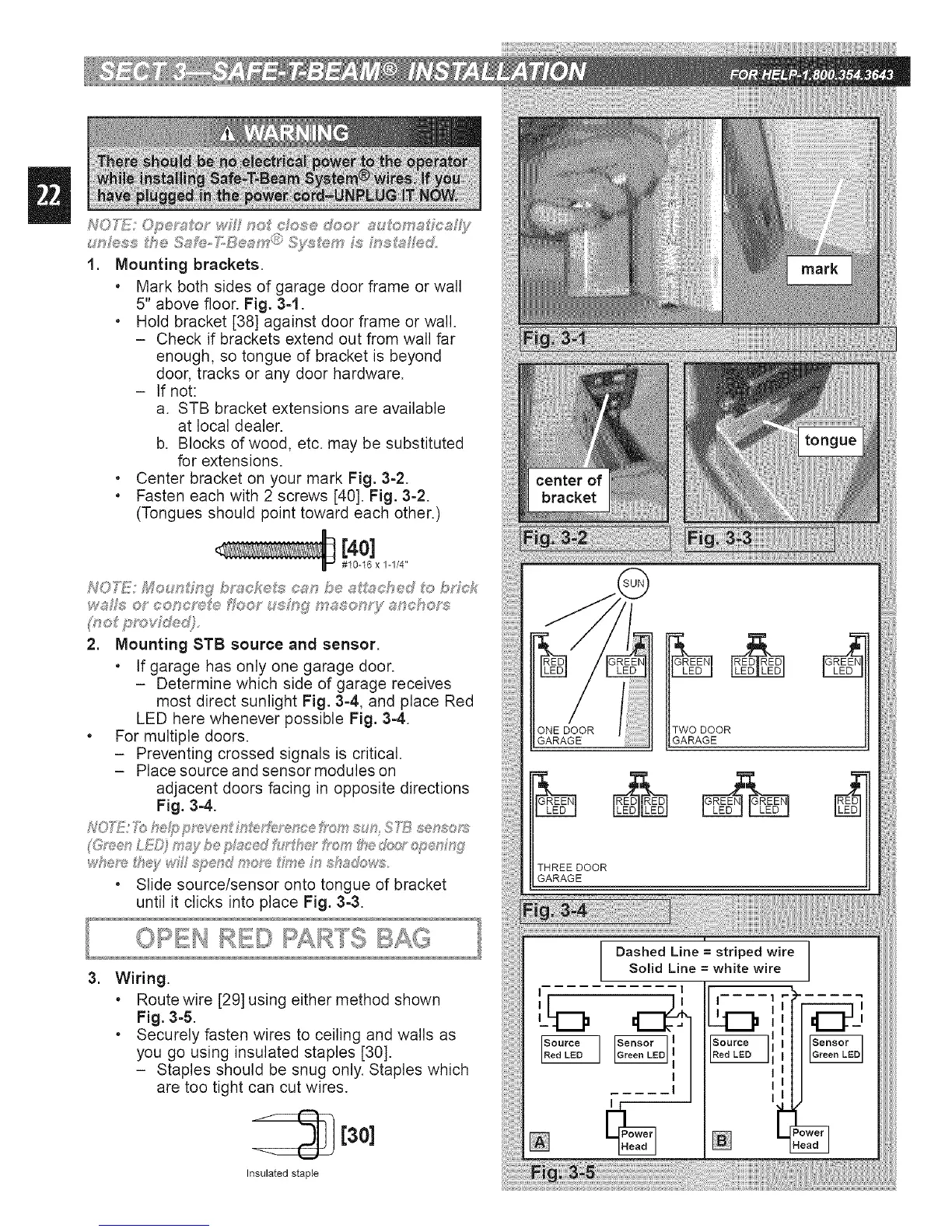
1. Mounting brackets.
, Mark both sides of garage door frame or wall
5" above floor. Fig. 3=1.
, Hold bracket [38] against door frame or wall.
- Check if brackets extend out from wall far
enough, so tongue of bracket is beyond
door, tracks or any door hardware.
- If not:
a. STB bracket extensions are available
at local dealer.
b. Blocks of wood, etc. may be substituted
for extensions.
. Center bracket on your mark Fig. 3=2.
, Fasten each with 2 screws [40]. Fig. 3=2.
(Tongues should point toward each other.)
[4o]
#10-16 x 1-1/4"
2. Mounting STB source and sensor.
, If garage has only one garage door.
- Determine which side of garage receives
most direct sunlight Fig. 3=4, and place Red
LED here whenever possible Fig. 3-4.
. For multiple doors.
- Preventing crossed signals is critical.
- Place source and sensor modules on
adjacent doors facing in opposite directions
Fig. 3-4.
• Slide source/sensor onto tongue of bracket
until it clicks into place Fig. 3-3.
TWO DOOR
GARAGEGARAGE
THREE DOOR
GARAGE
=
Wiring.
, Route wire [29] using either method shown
Fig. 3-5.
, Securely fasten wires to ceiling and walls as
you go using insulated staples [30].
- Staples should be snug only. Staples which
are too tight can cut wires.
[30]
Insulated staple
L
Dashed Line = striped wire
Solid Line = white wire
I I
I
[]








 To Next Page