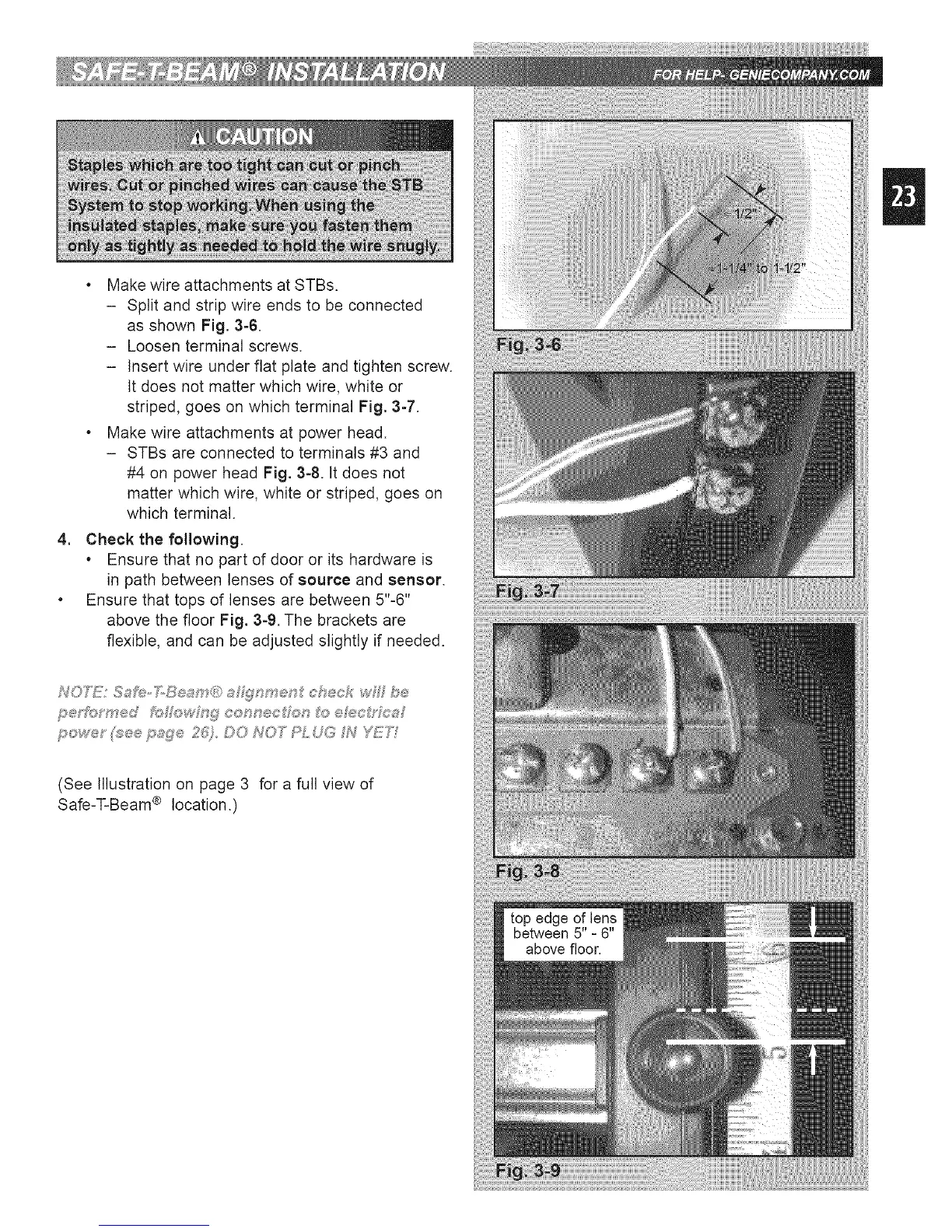
, Make wire attachments at STBs.
- Split and strip wire ends to be connected
as shown Fig. 3-6.
- Loosen terminal screws.
- Insert wire under flat plate and tighten screw.
It does not matter which wire, white or
striped, goes on which terminal Fig. 3-7.
, Make wire attachments at power head.
- STBs are connected to terminals #3 and
#4 on power head Fig. 3-8. tt does not
matter which wire, white or striped, goes on
which terminal.
4. Check the following.
, Ensure that no part of door or its hardware is
in path between lenses of source and sensor.
, Ensure that tops of lenses are between 5"-6"
above the floor Fig. 3=9. The brackets are
flexible, and can be adjusted slightly if needed.
(See Illustration on page 3 for a full view of
Safe-T-Beam ® location.)







 To Next Page