GEOMATE SG7 GNSS USER GUIDE
|
2022-07
P
a
g
e
|
16
2.4
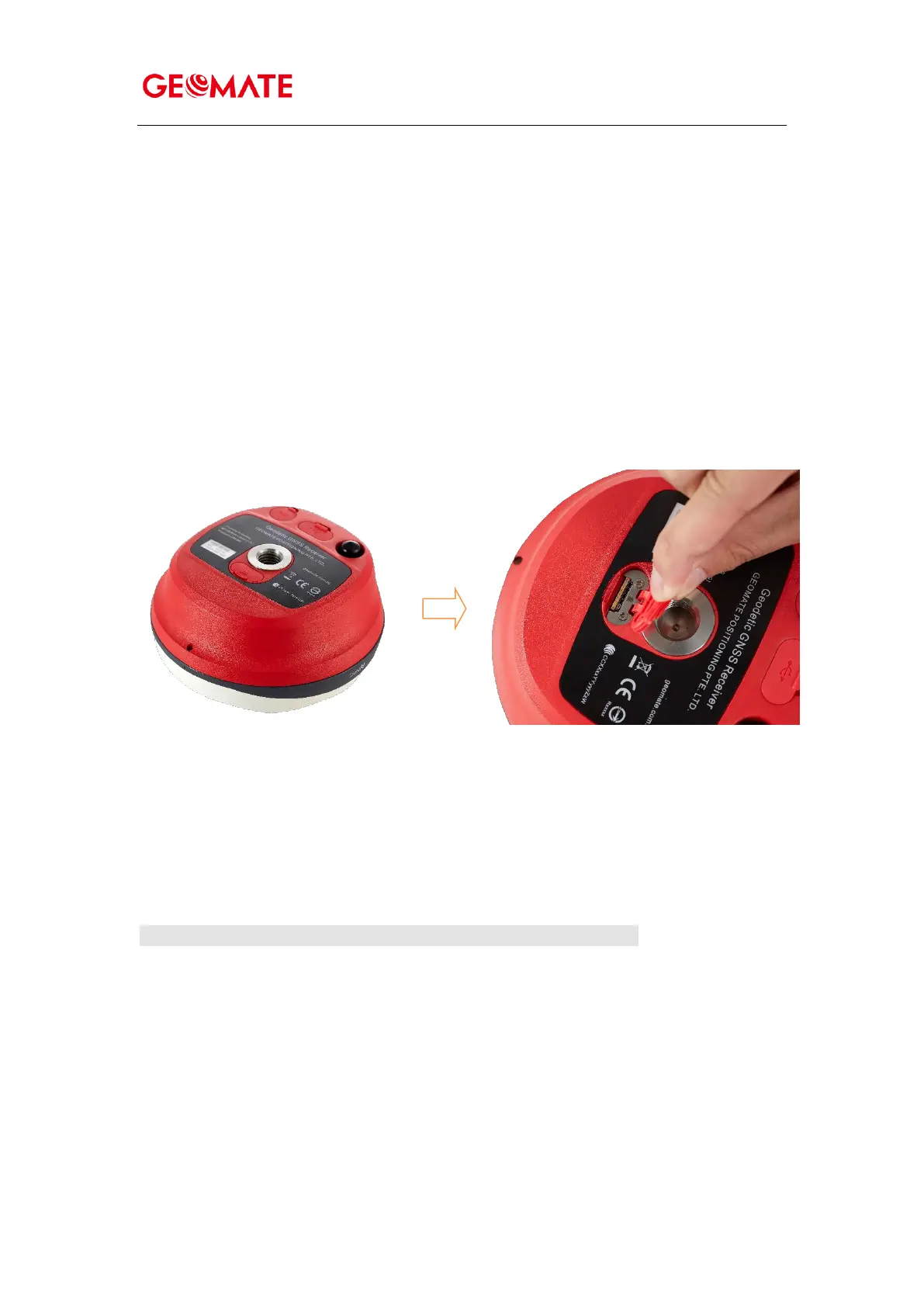
Inserting SIM Card
(a) Open the SIM card slot cover.
(b) Insert the SIM card with the contacts facing upward, as indicated by the SIM card icon next to
the SIM card slot.
(c) Close the cover to prevent water immersion.
(d) To eject the SIM card, slightly push it in to trigger the spring-loaded release mechanism
Insert the SIM card with the contacts facing upward, as indicated by the SIM card icon next to
the SIM card slot.
To eject the SIM card, slightly push it in to trigger the spring-loaded release mechanism.
Tip – The SIM card is prov ided by yo ur cellular netwo rk se rvice prov ider.



 To Next Page