GEOMATE SG7 GNSS USER GUIDE
|
2022-07
P
a
g
e
|
37
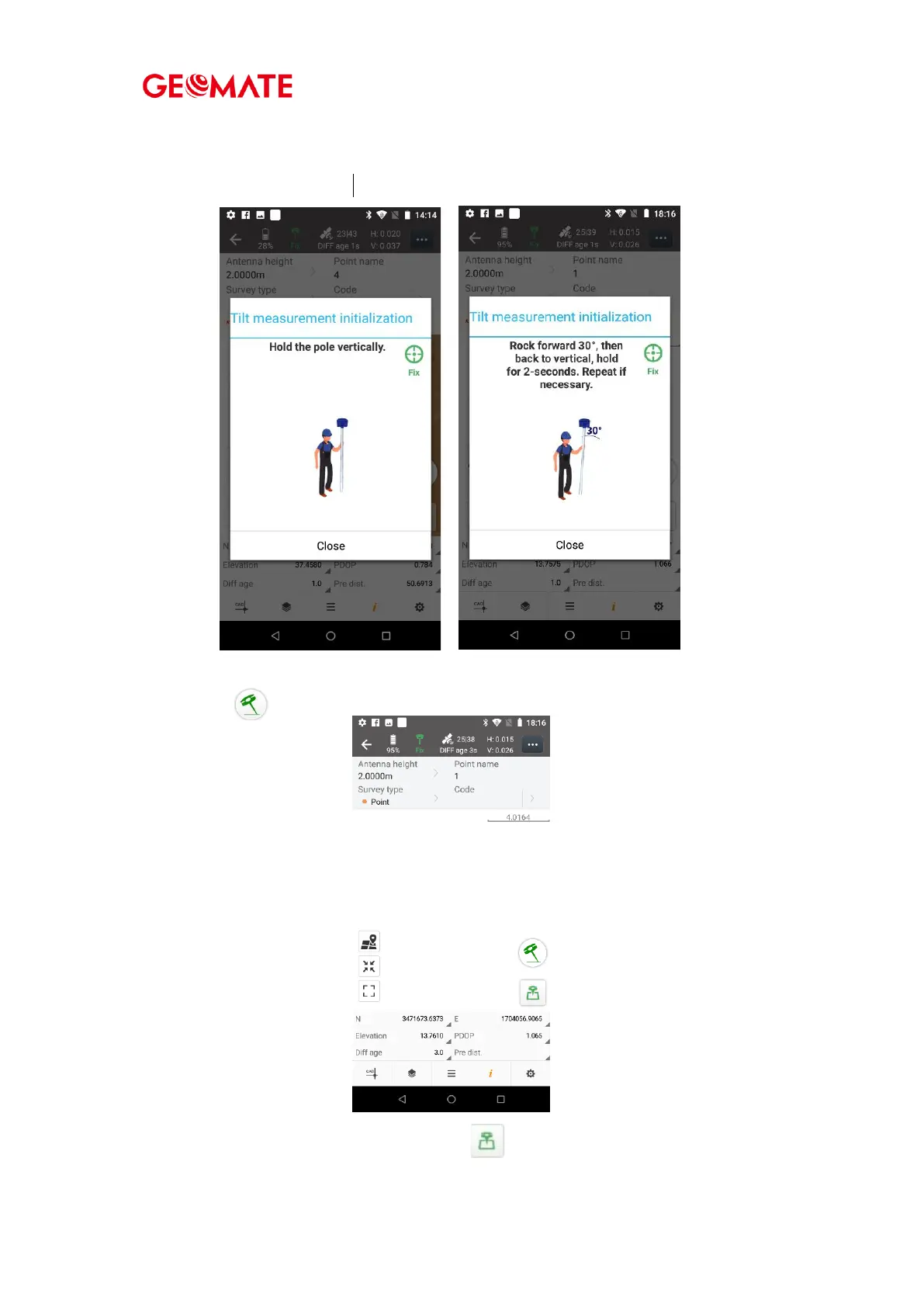
(2) Hold the pole vertical for a while and shake according to the procedures in the
interface to do initialization.
(3) This icon will appear when the initialization is successful.
(4) Enter the Name and Antenna, then tap , point will be collected and store
to Points automatically.



 To Next Page