32
33
EnglishEnglish
NAVIGATION WINDOW
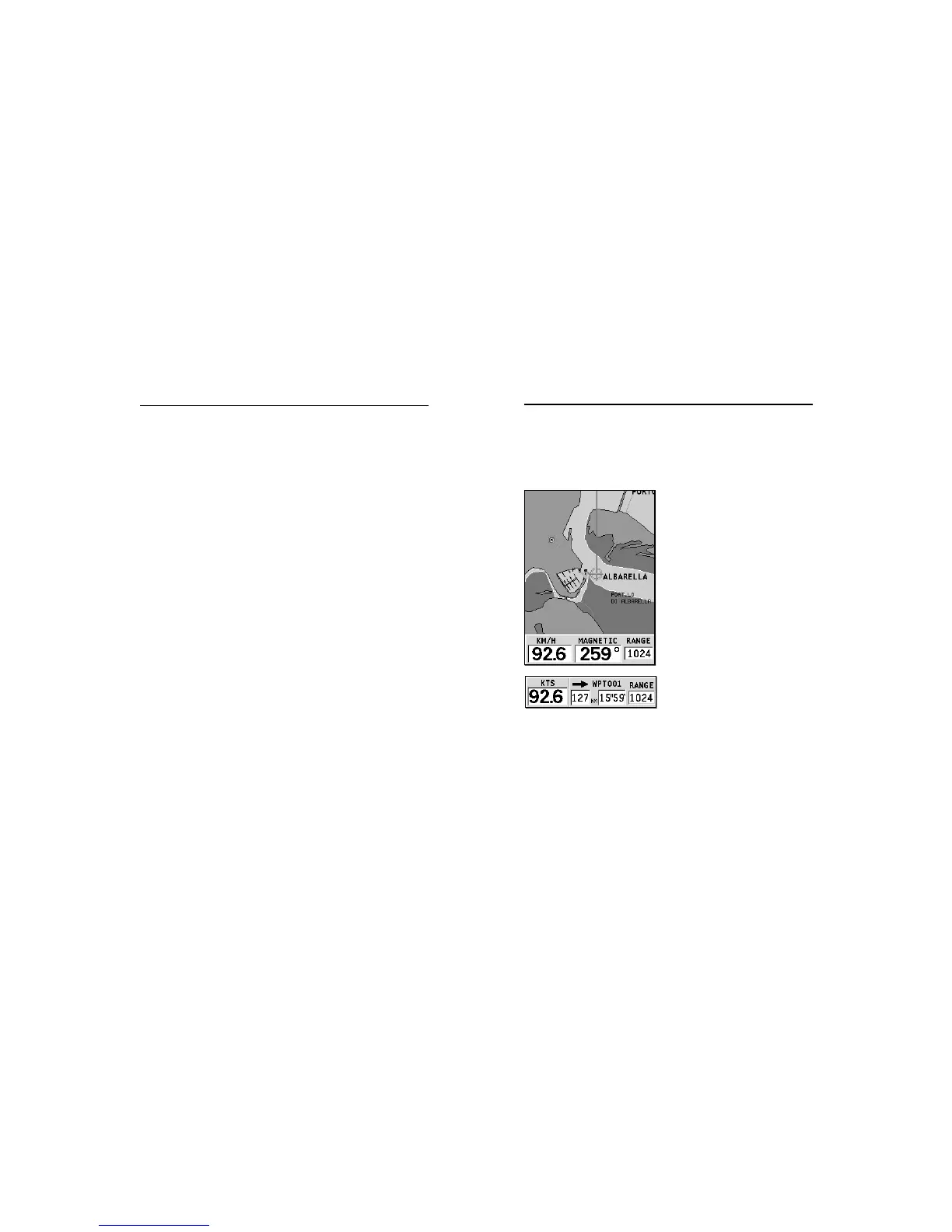
This window is activated automatically as soon as the GPS
receiver has obtained the boat’s position (FIX OK).
If no route is present, speed,
course and chart range are dis-
played at the bottom of the
screen.
By using the ZOOM key, the chart
detail level can be increased,
thus accessing NAVIONICS chart
data.
If a route has been inserted, the
screen will display the follow-
ing data:
• Boat’s speed
• Distance from the target
waypoint
• Estimated time of arrival at
the target waypoint
• Chart range
Navigation Window
• SOG, COG and altitude.
The latitude and longitude values relevant to the boat’s posi-
tion are displayed as soon as three satellites are tracked and a
2D fix (two dimensions) is available.
The altitude value is available only if four satellites are tracked
and a 3D fix is obtained.
As soon as a valid fix is available, the GEONAV will automati-
cally switch to Navigation mode and display the boat’s posi-
tion at the best chart range available; the window at the bot-
tom of the screen will indicate the boat’s course and speed.
Satellite Window



 To Next Page