34
35
EnglishEnglish
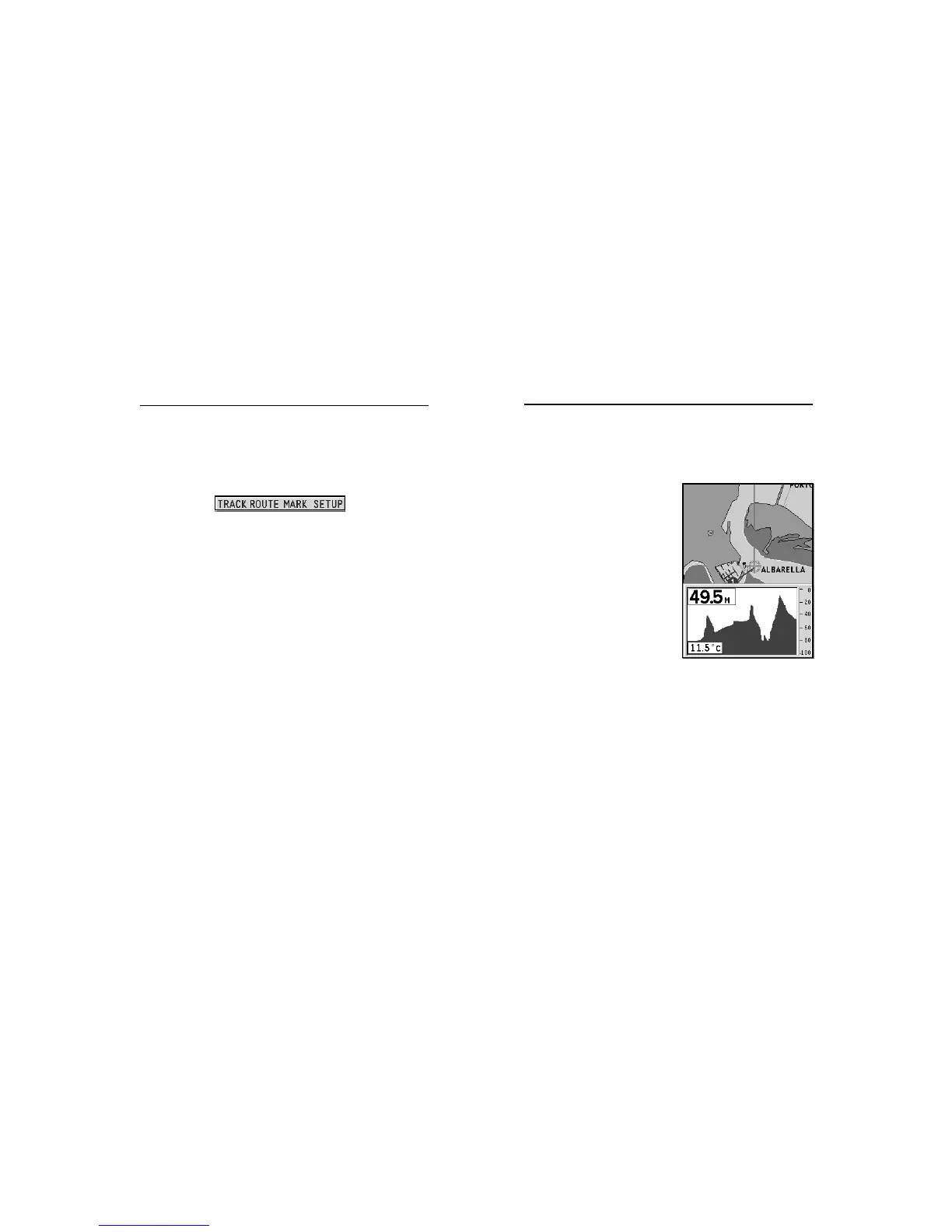
DEPTH SOUNDER WINDOW
A depth sensor can be interfaced with the GEONAV via NMEA.
In this case, the GEONAV auto-
matically enables the depth
sounder function, displaying a
graph of sea depth.
The depth scale, whose unit can
be selected from the menu in
meters, feet or fathoms, will
change automatically to show
deeper or shallower water.
In Navigation mode, press PAGE
until the depth sounder window
appears.
The window will display the fol-
lowing data:
• Water depth
• Depth scale
• Water temperature (if available)
When navigating in waters deeper than sounder access range or if
the boat’s speed is too high for depth sounding, data acquisition
will be interrupted and the number replaced by “—”.
To deactivate the depth sounder window, press PAGE.
Depth Sounder Window
MENU
The menu bar, displayed at the top of the screen, allows selecting
from the following options:
TRACK: To activate/deactivate the track function and to save,
recall and delete the track saved.
ROUTE: To delete, reverse, store, recall a route and display
route information.
MARK: To delete, store and recall markers.
SETUP: To activate/deactivate the plotter’s setup.
Menu



 To Next Page