38
39
EnglishEnglish
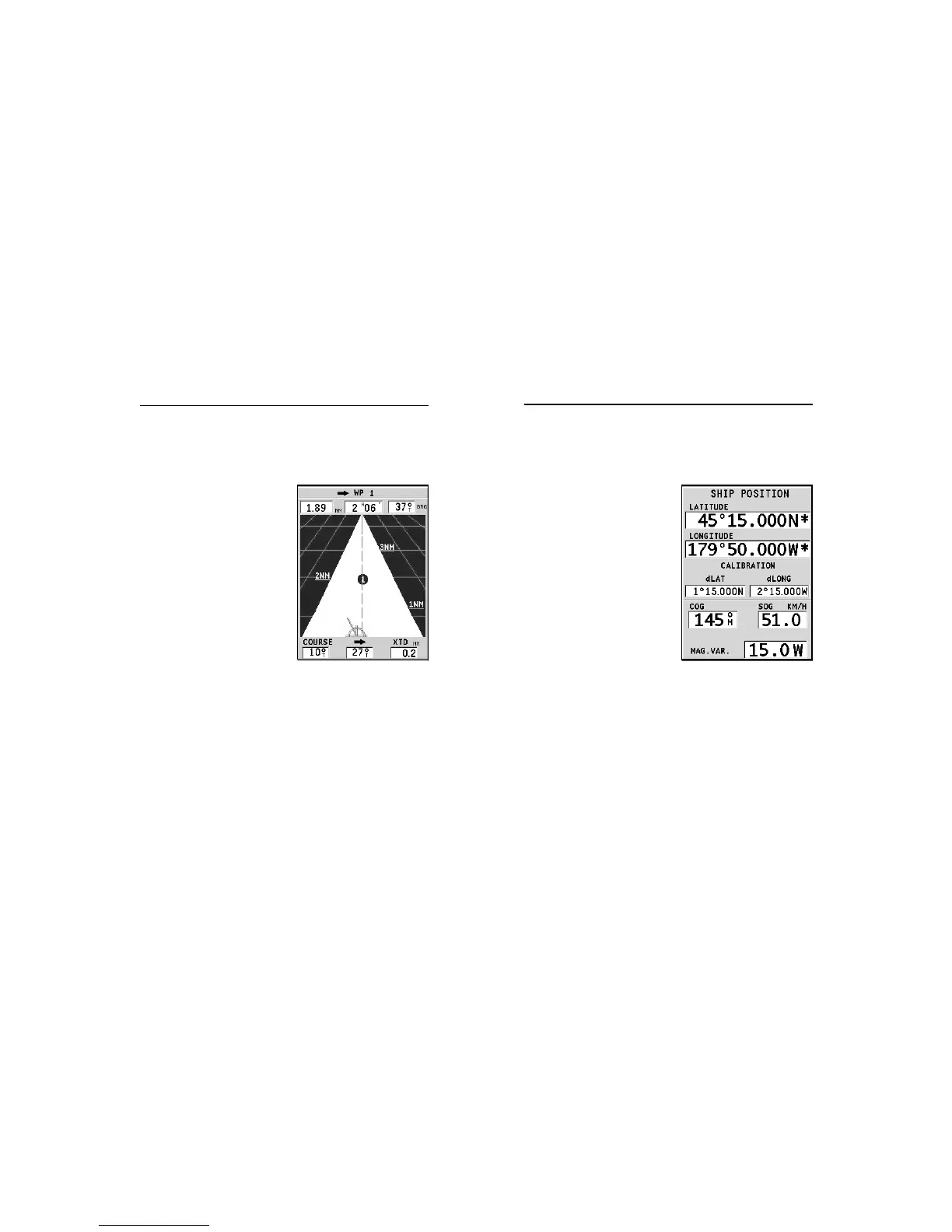
RUNWAY WINDOW
This window displays the following information on the target
waypoint:
• Name of the target waypoint
• Distance from the target
waypoint
• Estimated time of arrival to
the target waypoint
• Bearing
• Course
• Steering angle
• XTD (right/left distance from
the planned route)
The graph shows the boat’s po-
sition with respect to the route.
When the XTD goes up to the
limit of 2 NM, the boat symbol
will reach the right or left side
of the runway.
NOTE: This window is available in Navigation mode only.
LAT/LON WINDOW
This window displays the following information on the boat’s
current position:
• Geographical coordinates
(latitude/longitude)
• The position correction ap-
plied to the latitude and lon-
gitude (option SETUP, CALI-
BRATION)
• Magnetic variation value re-
ceived by the GPS
• Course (COG)
• Speed (SOG)
NOTE: This window is available in Naviga-
tion mode only.
Runway Window Lat/Lon Window



 To Next Page