50
51
EnglishEnglish
GOTO
The GOTO function allows creating a route or changing the
target waypoint in the current route.
Route to a waypoint
Press the GOTO key, select WPT and press ENTER to open the
GOTO Waypoint window. Choose a waypoint, press ENTER to
confirm or PAGE to exit.
As the GEONAV will plot a new route, the waypoint selected
will become the first waypoint in the route, whereas previous
waypoints will be deleted. This function is available in Navi-
gation mode only.
Route to a port
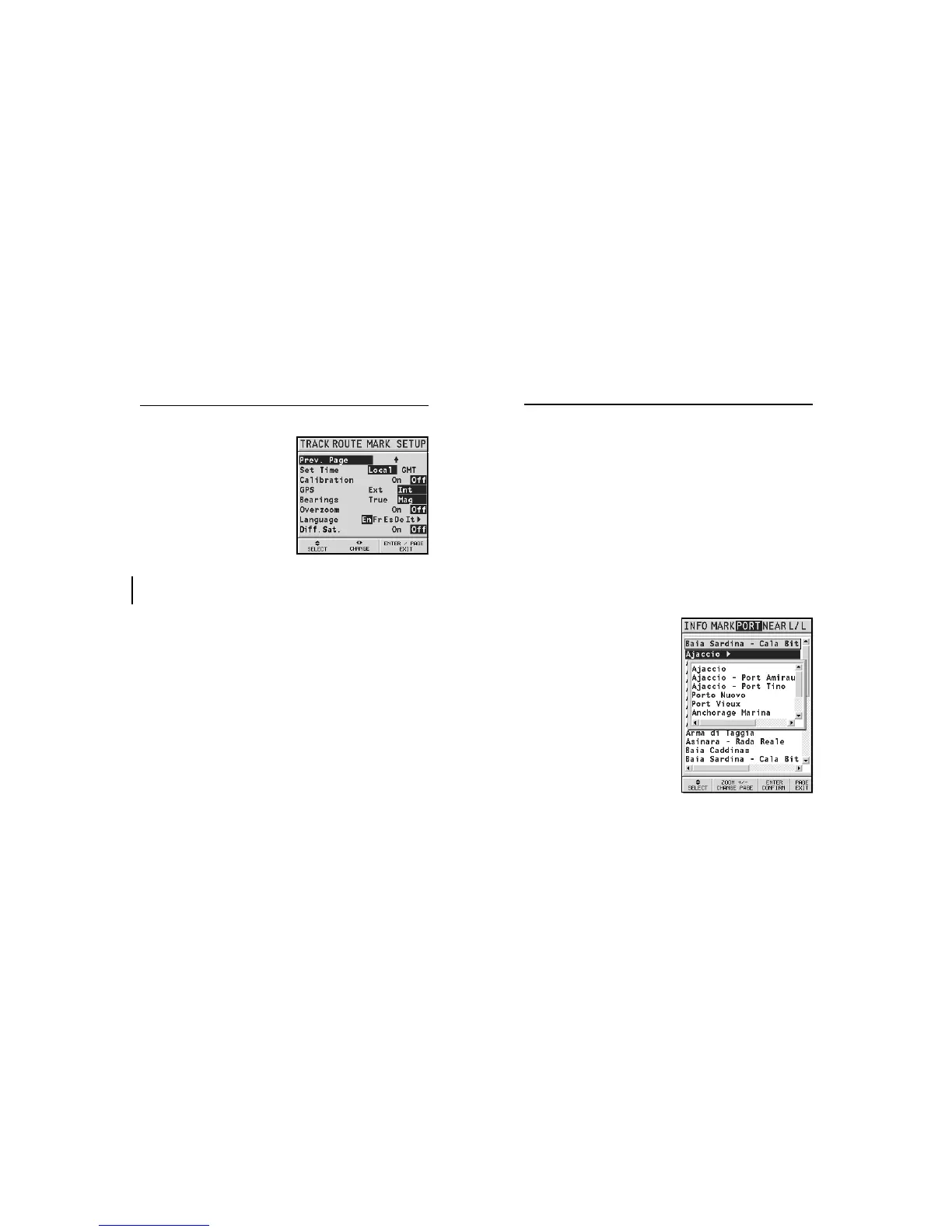
Press GOTO and select PORT by
the CURSOR key. Choose the de-
sired port (the latest 8 ports used
will be highlighted) from the
catalog displayed, then press
ENTER to confirm. To scroll the
list of ports quickly, press ZOOM.
If a port features secondary land-
ing places, its name will show a
small arrow at the end.
By selecting the port name, an-
other window will pop up. By
pressing CURSOR (right), it will
be possible to select the second-
ary landing place by CURSOR.
To go back to the list of the main
ports, press CURSOR (left), CLR or
PAGE.
Once the desired port has been selected, the GEONAV will
Goto
• Presentation (INTER./U.S.)
Selects the symbols and col-
ors (G6 Sunshine and G 5C
only) of chart presentation.
• Distance Units (NAUT/
METR/STAT)
Selects distance units.
• Depth Units (M/FT/FA)
Selects depth units.
• Set Time (LOCAL/GMT)
Enters local time.
• Calibration (ON/OFF)
Sets the boat’s position received by the GPS.
• GPS (EXT/INT)
Selects the built-in GPS (if available) or an external an-
tenna.
• Bearings (TRUE/MAG)
Sets the magnetic mode for all bearings.
• Overzoom (ON/OFF)
Enables / disables the Overzoom function.
• Language (EN/FR/ES/DE/DK/IT/SV/NL/SU/NO/GR)
Selects the language.
• Diff. Sat. (ON/OFF)
Enables / disables the differential satellites (if any).
Setup
GPS inside
model
Sun
5C



 To Next Page