40
Connecting a USB Device
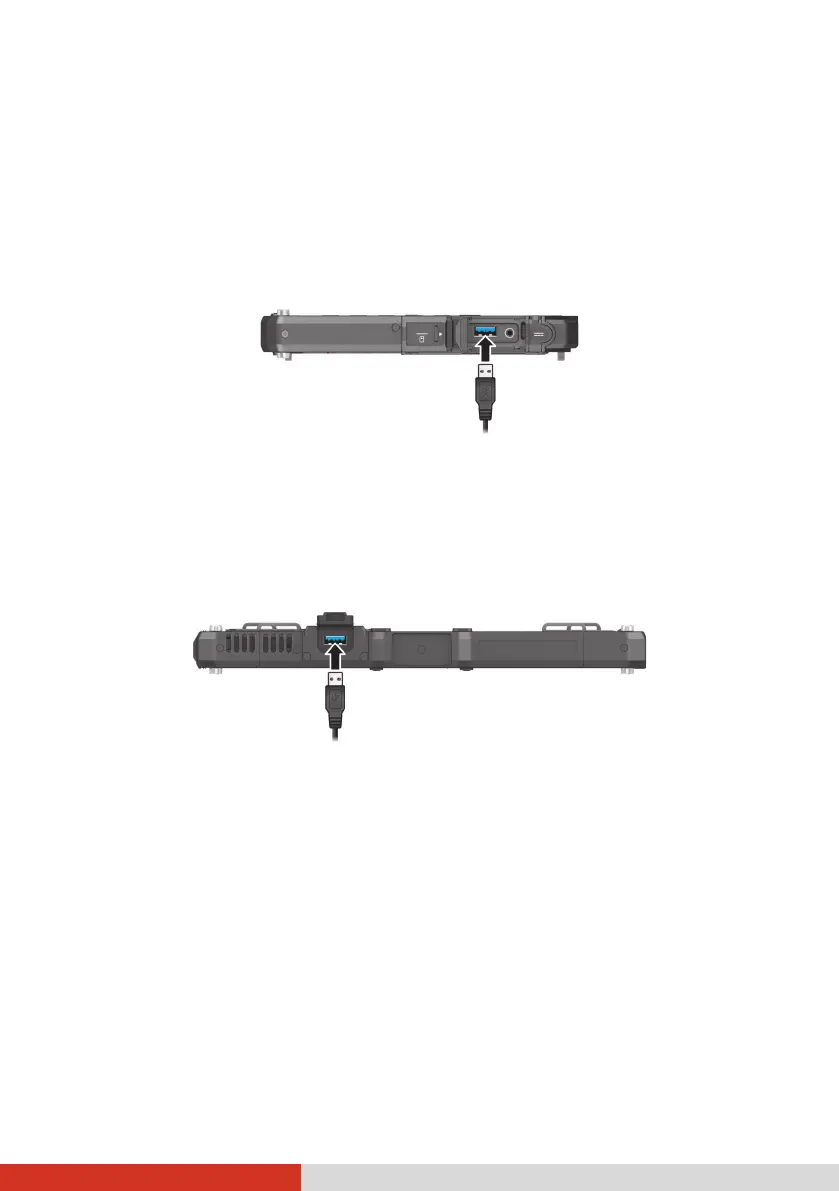
USB Type A
Your Tablet PC has a USB 3.1 Gen 2 port for connecting USB devices, such as
a digital camera, scanner, printer, modem, and mouse.
USB 3.1 Gen 2 supports a transfer rate up to 10 Gbit/s.
NOTE: USB 3.1/3.0 port is backward compatible with USB 2.0 port. However,
if necessary, you can set the USB 3.1/3.0 port to be a USB 2.0 port in the BIOS
Setup Utility. Go to the utility, select Advanced
Device Configuration,
find the setting item, and change the setting to USB 2.0.
Select models have a USB 3.0 port.
USB Type-C (Optional)
Select models have a USB 3.1 Gen 1 Type-C port.
“USB Type-C” (or simply “USB-C”) is a physical USB connector format that
features small size and free orientation. This port supports:
USB 3.1 Gen 1 (up to 5 Gbps)
DisplayPort over USB-C
USB Power Delivery



 To Next Page