44
Using Smart Cards (Optional)
Select models have a smart card reader. With an embedded microcontroller,
smart cards have the unique ability to store large amounts of data, carry out
their own on-card functions (e.g., encryption and mutual authentication),
and interact intelligently with a smart card reader.
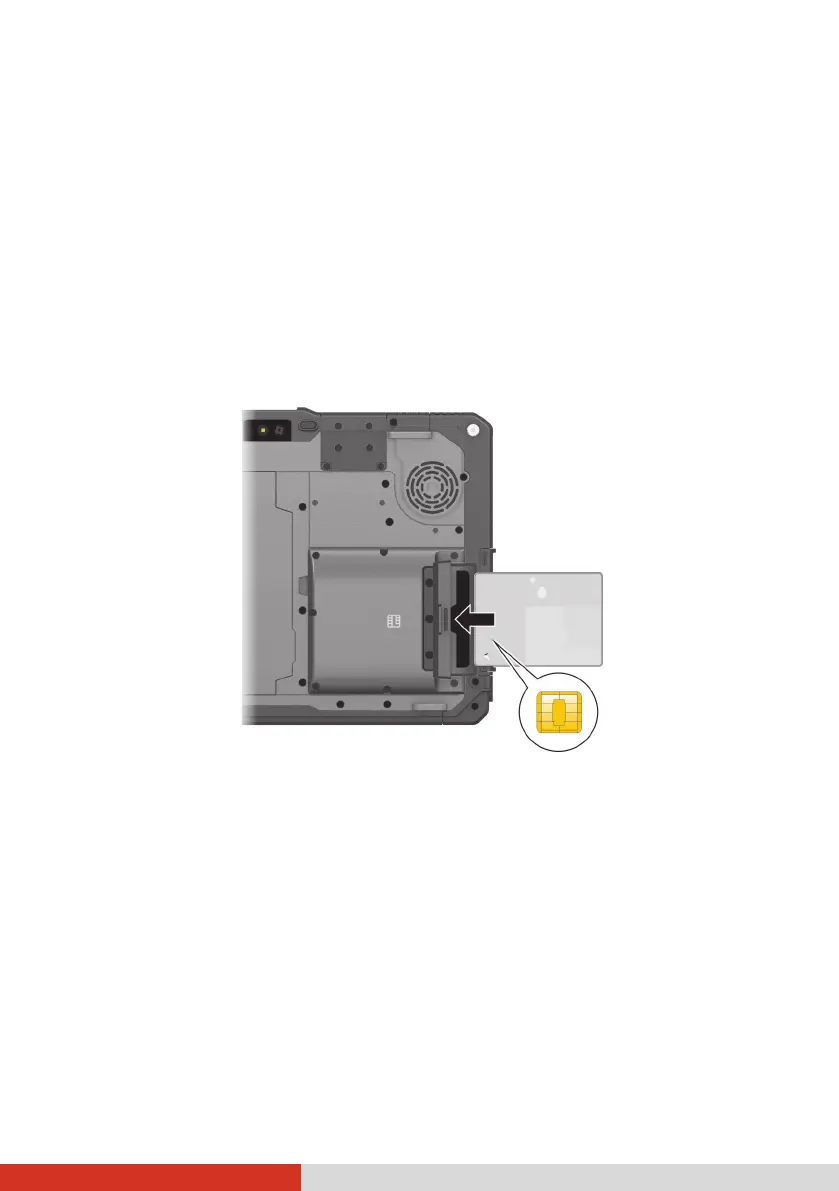
To insert a smart card:
1. Locate the smart card reader and open the protective cover.
2. With the embedded computer chip facing front and near the slot, slide
the smart card into the slot.
3. Close the cover.
To remove a smart card:
1. Make sure that the software is not accessing the smart card.
2. Open the cover.
3. Slightly push the card to release and then pull it out of the slot.
4. Close the cover.
Chip on the other
side of the card.



 To Next Page