8
CAUTION: For protection, make sure you secure the cover with
the screw.
Connecting to AC Power
Connecting to AC PowerConnecting to AC Power
Connecting to AC Power
and Charging the Bat
and Charging the Batand Charging the Bat
and Charging the Battery
terytery
tery
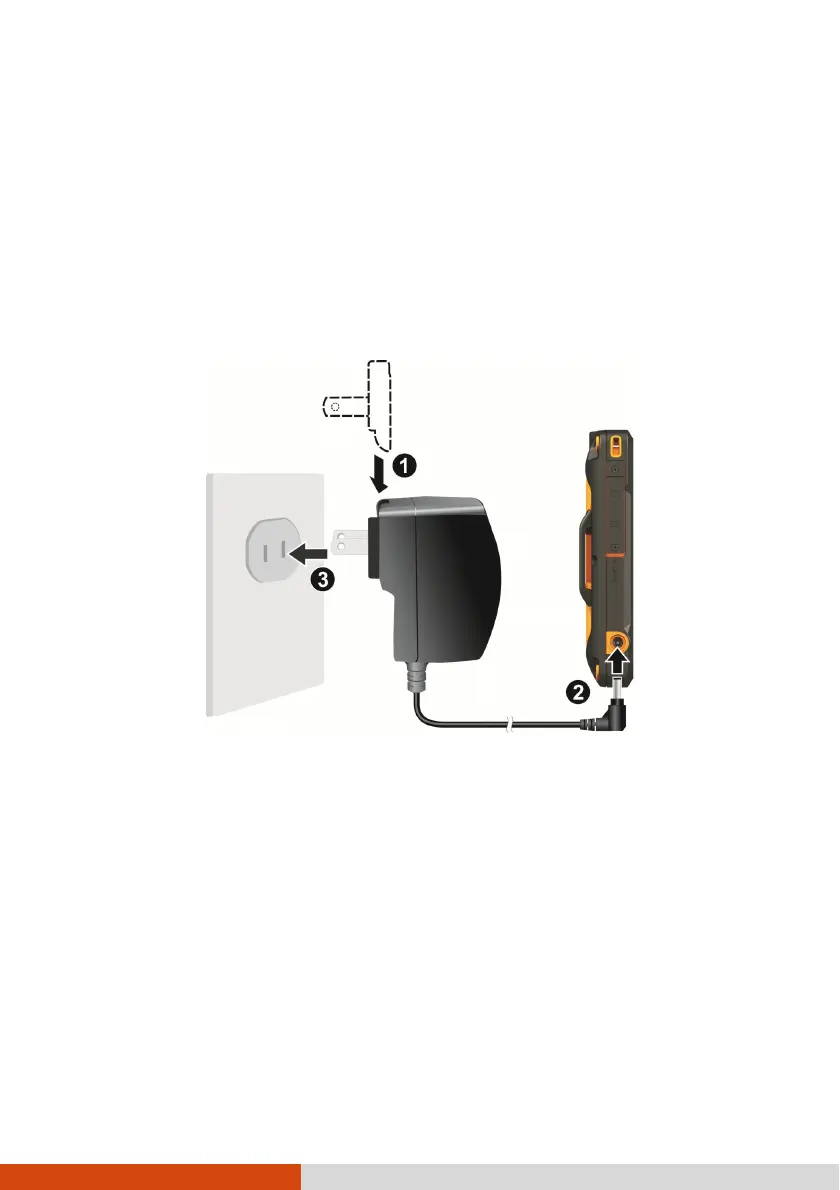
1. Fit the converter plug to the AC adapter (
).
2. Connect the DC jack end of the AC adapter to your device (
) and the other
end to a wall outlet (
).
3. The charge indicator glows in amber when charging is in progress. Do not
disconnect your device from AC power until the battery is fully charged, as
indicated by the amber indicator turning into green. This will take a couple of
hours.
CAUTION: For optimal performance of the lithium battery, take
note of the following:
Use the included AC adapter only.
There is no need to fully discharge the battery before
charging. You can charge the battery before it is discharged.
Do not charge the battery where the temperature is high (e.g.
in direct sunlight).
Converter Plug



 To Next Page