1
Chapter 1
Chapter 1Chapter 1
Chapter 1
Getting Started
Getting StartedGetting Started
Getting Started
This chapter introduces you to the external components of your device and guides
you through the process of setting up your device for use.
Identifying Hardware Components
Identifying Hardware ComponentsIdentifying Hardware Components
Identifying Hardware Components
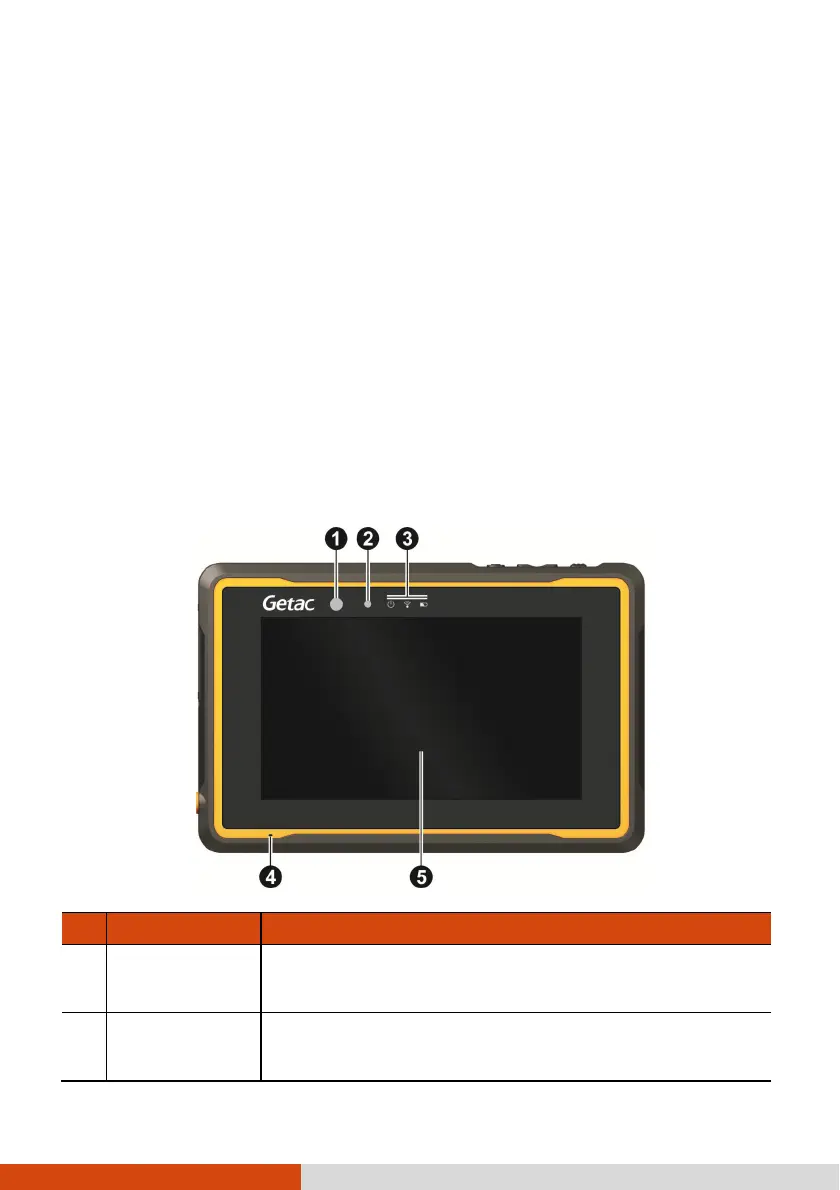
Front Components
Front ComponentsFront Components
Front Components
Ref
RefRef
Ref
Component
ComponentComponent
Component
Description
DescriptionDescription
Description
Camera
Camera Camera
Camera l
ll
lens
ensens
ens
Takes still pictures or records video clips.
supports 2 MP.
Light
Light Light
Light s
ss
sensor
ensorensor
ensor
Senses the ambient light
for automatic adjustments of the
display backlight.



 To Next Page