45
PUSH-TO-OPEN
©Ghost Controls
®
2021
CONNECTING AND INSTALLING THE BATTERY AND
BATTERY HARNESS
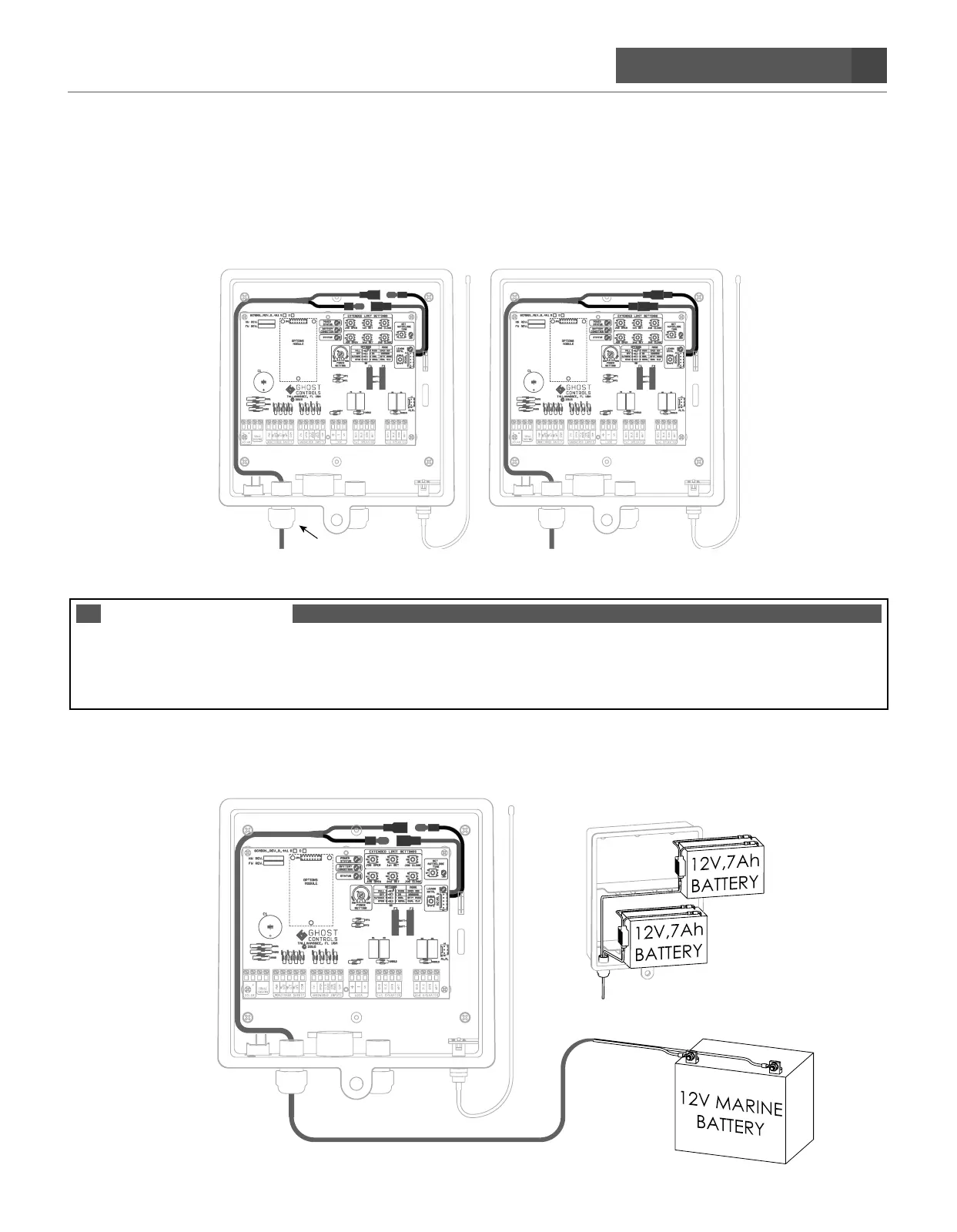
STEP 8. Insert battery harness through strain relief in control box and attach to the control board.
A. Route the battery harness cable through the strain relief on the bottom of the control box and connect the
bullet connectors (red to red, black to black) to the control board harness.
B. Connect the terminal leads of the battery harness to your battery.
IMPORTANT
YOU NEED A 12V DEEP CYCLE MARINE/AUTOMOTIVE BATTERY OR THE ABBT2 BATTERY BOX KIT WITH
TWO BATTERIES. SYSTEM WILL NOT OPERATE WITHOUT A BATTERY INSTALLED AND CONNECTED AT
ALL TIMES.
C. Connect the battery harness from the control box to the battery.
Make sure RED WIRE CONNECTS TO BATTERY’S + TERMINAL. CONNECT FIRST
Make sure the BLACK WIRE CONNECTS TO BATTERY’S TERMINAL.
(ABBT) BATTERY BOX KIT
INCLUDES 1 BATTERY, WILL HOLD 2 BATTERIES
2ND BATTERY COMPARTMENT
FOR SOLAR APPLICATIONS
2 BATTERIES REQUIRED
OR


 To Next Page