
 Need help?
Do you have a question about the GIGA-BYTE TECHNOLOGY MU70-SU0 and is the answer not in the manual?
Safety and handling guidelines before installing components.
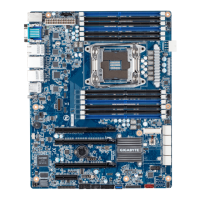
Details about CPU, Chipset, Memory, LAN, Expansion Slots, etc.
Step-by-step guide for CPU and CPU cooler installation.
Guidelines and procedures for memory installation.
Identification and description of rear panel ports.
Identification and description of internal connectors.
Explains the function and settings of various jumpers.
Overview of the BIOS Setup Main Menu and navigation.
Submenu options for configuring various hardware components.
Submenu options for configuring CPU, network, and chipset.
Menu for server management features.
Menu for system security settings and passwords.
Settings for boot device priority and options.
Options for saving changes, discarding, and exiting BIOS setup.
List of POST codes and their meanings for diagnostics.
Steps to restore BIOS using embedded recovery.
Compliance and safety information (RoHS, WEEE).
 General
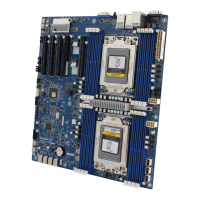
| Model | MU70-SU0 |
|---|---|
| Manufacturer | GIGA-BYTE TECHNOLOGY |
| Form Factor | ATX |
| Memory Type | DDR4 |
| Audio | Realtek ALC887 |
| Memory Slots | 8 x DIMM |
| Storage Interface | SATA 6Gb/s |
| M.2 Slots | 1 x M.2 |
| LAN | 2 x 10GbE LAN ports |
| Video Outputs | VGA |








 To Next Page