- 19 -
Hardware Installation
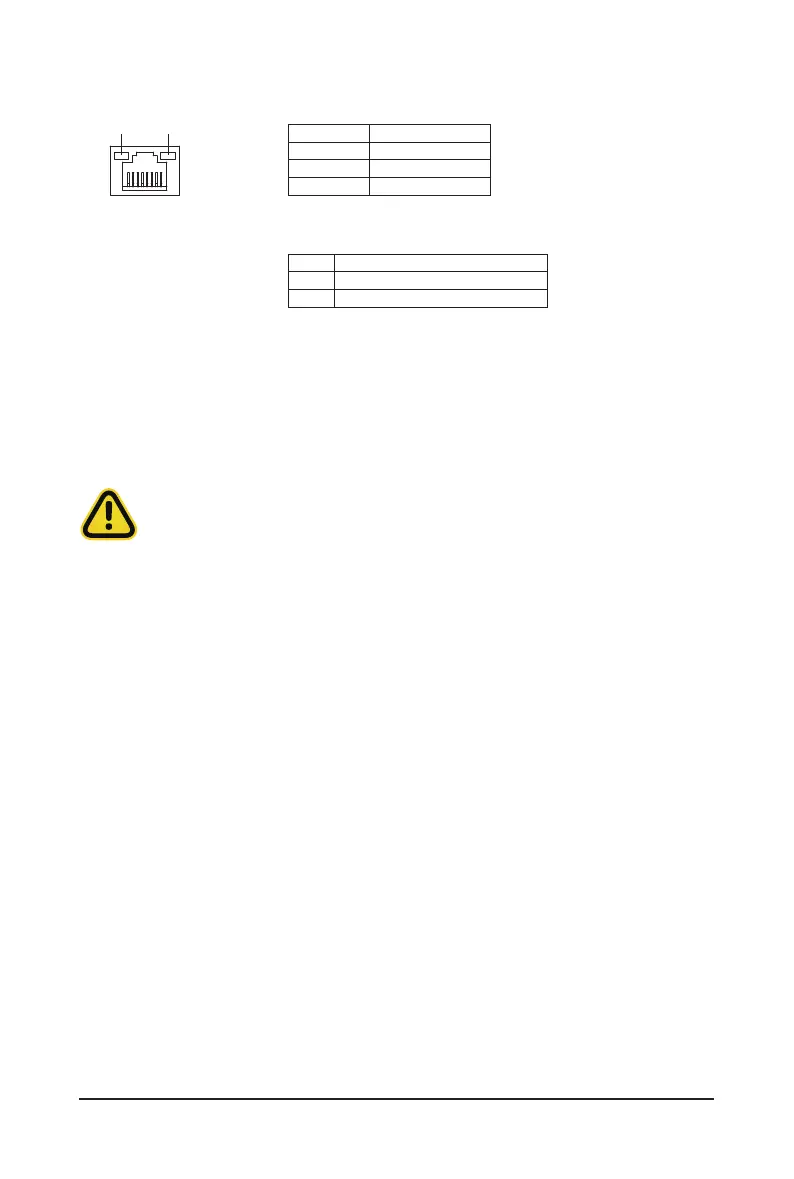
Link/Activity LED
Connection/
Speed LED
LAN Port
•
When removing the cable connected to a back panel connector, rst remove the cable from your
device and then remove it from the motherboard.
•
When removing the cable, pull it straight out from the connector. Do not rock it side to side to
prevent an electrical short inside the cable connector.
ID Button / LED:
10/100/1000 LAN LED:
State Description
Yellow On 1 Gbps data rate
Green On 100 Mbps data rate
Off 10 Mbps data rate
State Description
Blue on System identication is active
Off System identication is disable



 To Next Page