COMFORT 550 / 550A / LUG_Kombi IM-Nord en / A31008-M3001-R201-1-SM19 / operating.fm / 4/11/22
Template Module, Version 2.1, 11.08.2020 / Template Basiseinstellungen: Version 3.1 - 07.07.2020
Getting to know your telephone
15
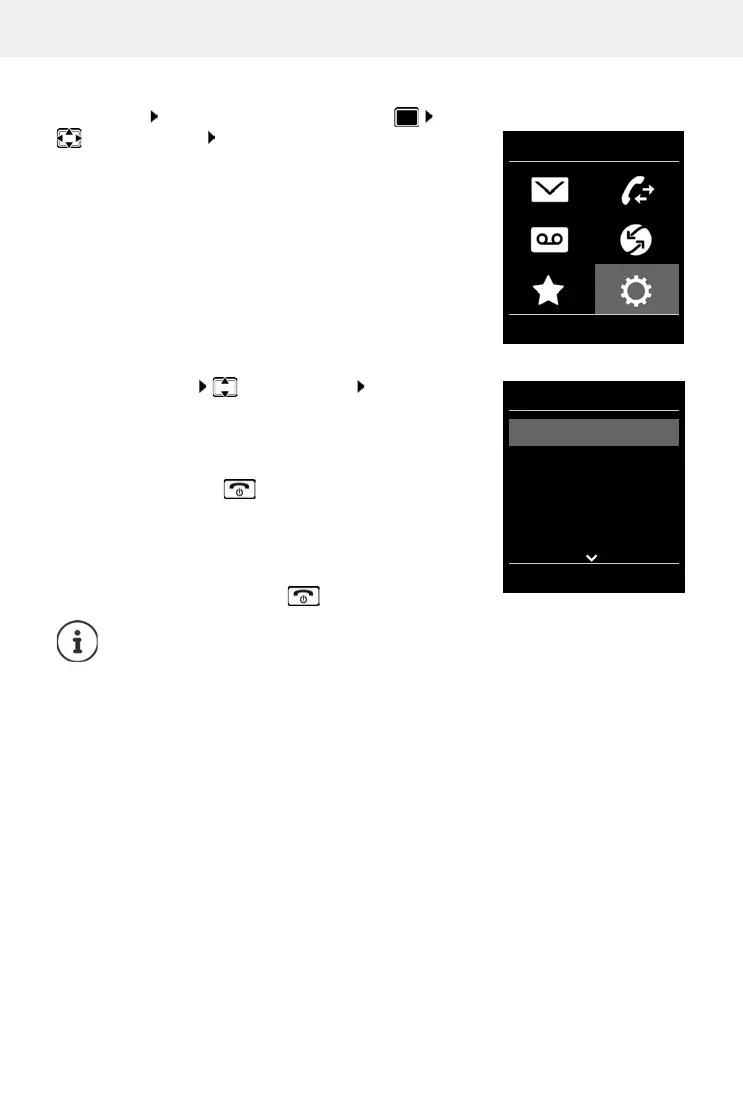
Main menu
In idle status: Press the centre of the control key
select a submenu OK
The main menu functions are shown in the display as icons. The
icon f
or the selected function is highlighted in colour and the
name of the associated function appears in the display header.
Submenus
The functions in the submenus are displayed as lists.
To access a function: select a function OK
Return to the previous menu level:
Press the display key Back
or
Press the End call key briefly
Returning to idle status
Press and hold the End call key
If a key is not pressed, after 2 minutes the display will a
utomatically change to idle
status.
Settings
Date/Time
Audio Settings
Display
Language
Registration
Back OK
Example



 To Next Page