User interfaces
14
11.2020/V 2.3
4. User interfaces
The following options are available for using the user interface:
4.1 Free visualisation
With the HS Expert, it is possible to visualise the building in the form of e.g. stored floor plans
and the positioned actuators and sensors. The free visualisation can be operated using com-
mon browsers and the HSClient.
4.1.1 HSClient
The program is located in the “tools\client\” directory of the HS Expert. The documentation
for the HSClient can be accessed via the Windows start menu.
4.2 QuadClient
To use this program, your project must be parametrised with the HS Expert/QuadConfig.
4.3 Apps
For iOS and Android, the “Gira HomeServer/FacilityServer” app is available in the respective
App Shop. These apps can only be used in combination with a QuadClient configuration.
5. Remote access
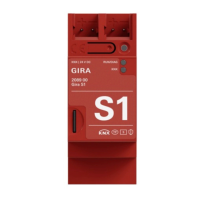
Via the Gira device portal https://geraeteportal.gira.de/ or a module for remote access (e.g.
the Gira S1), Gira provides the option of accessing the Gira HomeServer from outside via the
Internet. Among other things, a Dynamic DNS service is available.
6. Software interfaces
At https://developer.gira.de/, information is provided for developers. Here, you will find infor-
mation e.g. for the development of your own logic nodes, the use of program interfaces, the
creation of your own user interfaces etc.
7. Licences
In the HS Expert folder, you will find the licence file with all the information about compo-
nents used.


 To Next Page