Page 8
RED wire to the POSITIVE (+) post and then
the BLACK wire to the NEGATIVE (-) post.
Tighten the bolts on the battery posts. (e)
Plug the control unit back into the wall outlet.
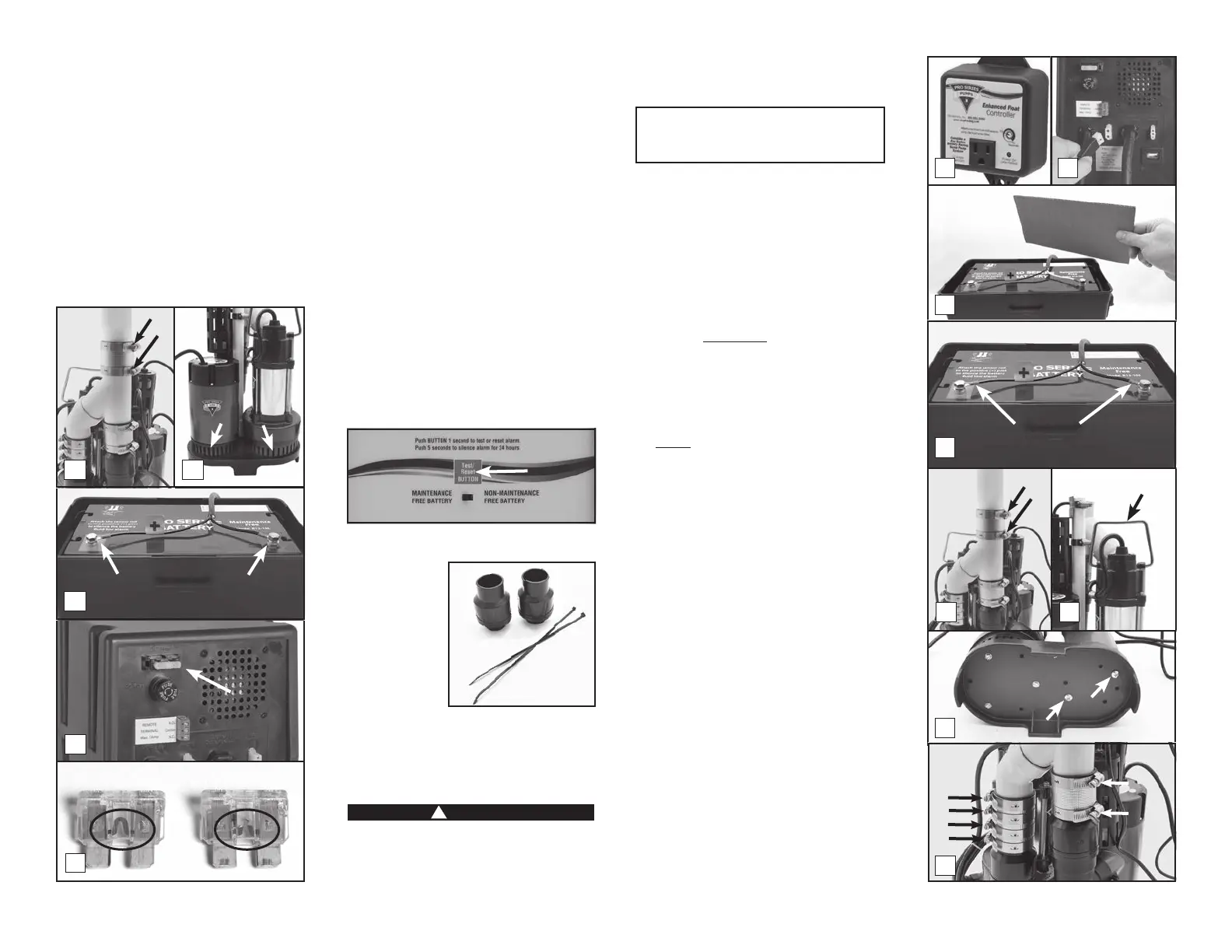
3. (a) Check the DC fuse by pulling it out of the
fuse holder. (b) If the wires are burned and
broken, replace the fuse with a 25 Amp DC
safety fuse. If the fuse blows again, unplug
the computer control unit from the wall
and disconnect the battery cables from
the battery. Then call Glentronics technical
support for instructions at 800-991-0466.
You may need to replace the pump.
4. Plug the main AC pump back into the wall
outlet.
4 The pump was activated
When water rises in the sump pit and lifts the
and the “Pump was activated” light and alarm
will turn on. The pump warning stays on to
alert you that the standby system was used
to empty the water from the sump pit. Try
to determine what caused the system to
activate.
• Check the main pump for failure. It may not
• Make sure the check valve is working. It
may need to be replaced.
• Make sure the discharge pipe is not
• If the power was out, the backup pump was
automatically activated. You need to push
the RESET button to silence the alarm.
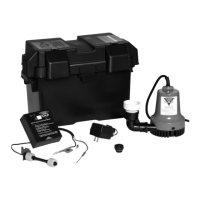
REPLACING THE BACKUP PUMP
Before you begin
this process, you
will need a new
backup pump,
new check
valves, and new
wire ties. The
check valves
on one end, and
also have a pre drilled air bleed hole. The
air bleed hole is required to help prevent
an air lock within the system. See page 12 for
part numbers.
!
DANGER
Risk of electrical shock or battery explosion,
which can cause serious injury or death.
Wear eye protection. Work in a well-
ventilated area. DO NOT smoke or allow a
spark or ame in the vicinity of the battery.
Avoid dropping metal tools on the battery.
Review the safety instructions on page 2.
YOU WILL BE DISCONNECTING ALL THE
WIRES. BE SURE THEY DO NOT FALL
INTO THE SUMP PIT.
1. Unplug the primary pump, the blue
controller, and the power cord for the
backup pump control unit from the wall
outlet.
2. Unplug the backup pump from the back of
the backup control unit.
3. Remove the cover of the battery box and
fan the area around the top of a vented
battery with a piece of cardboard (or
another nonmetallic material) to remove
any hydrogen or oxygen gas that may have
been emitted from the battery.
4. Remove the battery wires from the battery
posts. Be sure they do not touch each
other while one is connected to the battery.
5. Slowly loosen the no-hub coupling on the
top of the combination pump assembly to
separate the pipes. The water trapped in
the pipe will pour out into the sump as the
no-hub coupling is loosened.
6. Separate the pump assembly from the no-
hub coupling and lift it out of the sump pit
by the handle on the primary pump. Tip the
assembly over the sump pit to drain away
any remaining water.
7. Lay the pumps down and remove the
screws attaching the backup pump to the
sump foot.
8. Loosen the hose clamps on the no-hub
connectors on both pumps.
9. Ease the wye assembly off of the pumps.
10. Unscrew the pipe adapter from the backup
pump.
11. While you have the pump apart, this would
be a good time to replace the check
valves. Contact Glentronics, Inc. to order
bleed hole is required to help prevent an air
lock within the system.
3a
3b
GOOD
BLOWN
2d
2c
Rinse
5
6
Lift
7
8
1 2
3
4
2b
Remove
Negative
Bolt
Positive
Bolt


 To Next Page
 Loading...