EasyManua.ls Logo

Glentronics PRO Series - User Manual

Glentronics PRO Series
16 pages
Print Icon
To Next Page IconTo Next Page
Loading...
Important Safety Warnings
and Instructions
Electrical precautions 2
Battery preparation 2
Battery precautions 2
Introduction
Items included in system 3
Additional items needed 3

Installing the Pipe and Pump 4
Battery Instructions 5
System Connections
Connecting the backup pump 5
Connecting the battery 5
Connecting the primary pump 5
Product Operation
Float switches 5
Controllers 6
weep holes 6
Understanding the Warning
Lights and Alarms
Silencing the alarm during an emergency 6
Battery cables loose or battery defective
6,7
Replacing the battery 6
Cleaning battery terminals 7

Fuse alarm 7
Backup pump activated 8
Replacing the backup pump 8
Replacing the primary pump 9
Battery power level 10
Remote Notication
Remote Terminal 10
Remote Alarm 10
USB Data Port 10
CONNECT Module 11
Testing the System
 
 
Maintenance Checklist 11
Parts & Service Information
Technical support 11
Replacement Parts Diagram & List 12
Troubleshooting Guide 13
Warranty 14
Other Products 15, 16
Table of Contents
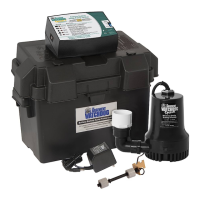
Combination Primary and Backup Sump Pump System
Model PS-C50
Instruction Manual & Safety Warnings
IMPORTANT: Even if you have the Pro Series™ C50
Combination Sump Pump System installed by someone
else, you must read and follow the safety information
contained in this manual. Failure to do so could result in
property damage, serious injury, or death.
Scan the QR code
for more information
about the PS-C50
Combination Sump
Pump System

Other manuals for Glentronics PRO Series

Question and Answer IconNeed help?

Do you have a question about the Glentronics PRO Series and is the answer not in the manual?

Summary

Important Safety Warnings and Instructions

Electrical Precautions

Essential safety measures for electrical connections and handling of the pump system.

Battery Preparation and Safety

Guidelines for preparing and safely handling lead-acid batteries for the sump pump system.

Battery Precautions

Crucial safety measures to prevent hazards like explosion and acid burns when working with batteries.

Introduction

System Specifications

Technical specs including voltage, AC/DC pumping capacity, and overall system dimensions.

Installing the Pipe and Pump

Battery Instructions

System Connections

Step-by-step guide for connecting the backup pump, battery, and primary pump to the control unit.

Product Operation

Understanding Warning Lights and Alarms

Explanation of control unit warning lights and audible alarms for system status and issues.

Silencing Alarms During Emergency

Procedure for temporarily silencing alarms for emergency situations, with options for 2-minute or 24-hour silencing.

Maintenance and Troubleshooting

Cleaning Battery Terminals

Steps for cleaning battery terminals to ensure proper connection and charging for the sump pump system.

Troubleshooting: No AC Power

Steps to diagnose and resolve issues where the unit is not receiving AC power, including fuse and outlet checks.

Troubleshooting: DC Fuse or Backup Pump

Procedure to identify and fix issues related to a blown DC fuse or a defective backup pump.

Operation and Maintenance

Understanding Pump Activation Alarm

Explanation of the 'Pump was activated' alarm, its causes, and how to reset it after system use.

Replacing the Backup Pump

Detailed instructions for safely removing and replacing the backup sump pump with a new unit.

Replacing the Primary Pump

System Monitoring and Connectivity

Battery Power Level Indicator

Explanation of the battery power level gauge and the 'Battery problem' indicator.

Remote Notification

Information on connecting the system to home security or alarm devices for remote alerts.

USB Data Port

Details about the USB port on the controller for communication with the Pro Series CONNECT Module.

Connect Module

Testing Backup Pump Float Switch

Procedure to manually test the backup pump's float switch to ensure proper activation and operation.

Testing Primary Pump Float Switch

Procedure to manually test the primary pump's float switch for correct activation and run cycle.

Maintenance Checklist

Replacement Parts List

Primary Pump Troubleshooting

Backup Pump Troubleshooting

Limited Warranty

Additional Basement Protection Products

Water Alarms & Accessories

Summary

Important Safety Warnings and Instructions

Electrical Precautions

Essential safety measures for electrical connections and handling of the pump system.

Battery Preparation and Safety

Guidelines for preparing and safely handling lead-acid batteries for the sump pump system.

Battery Precautions

Crucial safety measures to prevent hazards like explosion and acid burns when working with batteries.

Introduction

System Specifications

Technical specs including voltage, AC/DC pumping capacity, and overall system dimensions.

Installing the Pipe and Pump

Battery Instructions

System Connections

Step-by-step guide for connecting the backup pump, battery, and primary pump to the control unit.

Product Operation

Understanding Warning Lights and Alarms

Explanation of control unit warning lights and audible alarms for system status and issues.

Silencing Alarms During Emergency

Procedure for temporarily silencing alarms for emergency situations, with options for 2-minute or 24-hour silencing.

Maintenance and Troubleshooting

Cleaning Battery Terminals

Steps for cleaning battery terminals to ensure proper connection and charging for the sump pump system.

Troubleshooting: No AC Power

Steps to diagnose and resolve issues where the unit is not receiving AC power, including fuse and outlet checks.

Troubleshooting: DC Fuse or Backup Pump

Procedure to identify and fix issues related to a blown DC fuse or a defective backup pump.

Operation and Maintenance

Understanding Pump Activation Alarm

Explanation of the 'Pump was activated' alarm, its causes, and how to reset it after system use.

Replacing the Backup Pump

Detailed instructions for safely removing and replacing the backup sump pump with a new unit.

Replacing the Primary Pump

System Monitoring and Connectivity

Battery Power Level Indicator

Explanation of the battery power level gauge and the 'Battery problem' indicator.

Remote Notification

Information on connecting the system to home security or alarm devices for remote alerts.

USB Data Port

Details about the USB port on the controller for communication with the Pro Series CONNECT Module.

Connect Module

Testing Backup Pump Float Switch

Procedure to manually test the backup pump's float switch to ensure proper activation and operation.

Testing Primary Pump Float Switch

Procedure to manually test the primary pump's float switch for correct activation and run cycle.

Maintenance Checklist

Replacement Parts List

Primary Pump Troubleshooting

Backup Pump Troubleshooting

Limited Warranty

Additional Basement Protection Products

Water Alarms & Accessories

Glentronics PRO Series Specifications

General IconGeneral
BrandGlentronics
ModelPRO Series
CategoryWater Pump
LanguageEnglish

Related product manuals