TX670 INSTRUCTION MANUAL PAGE 9
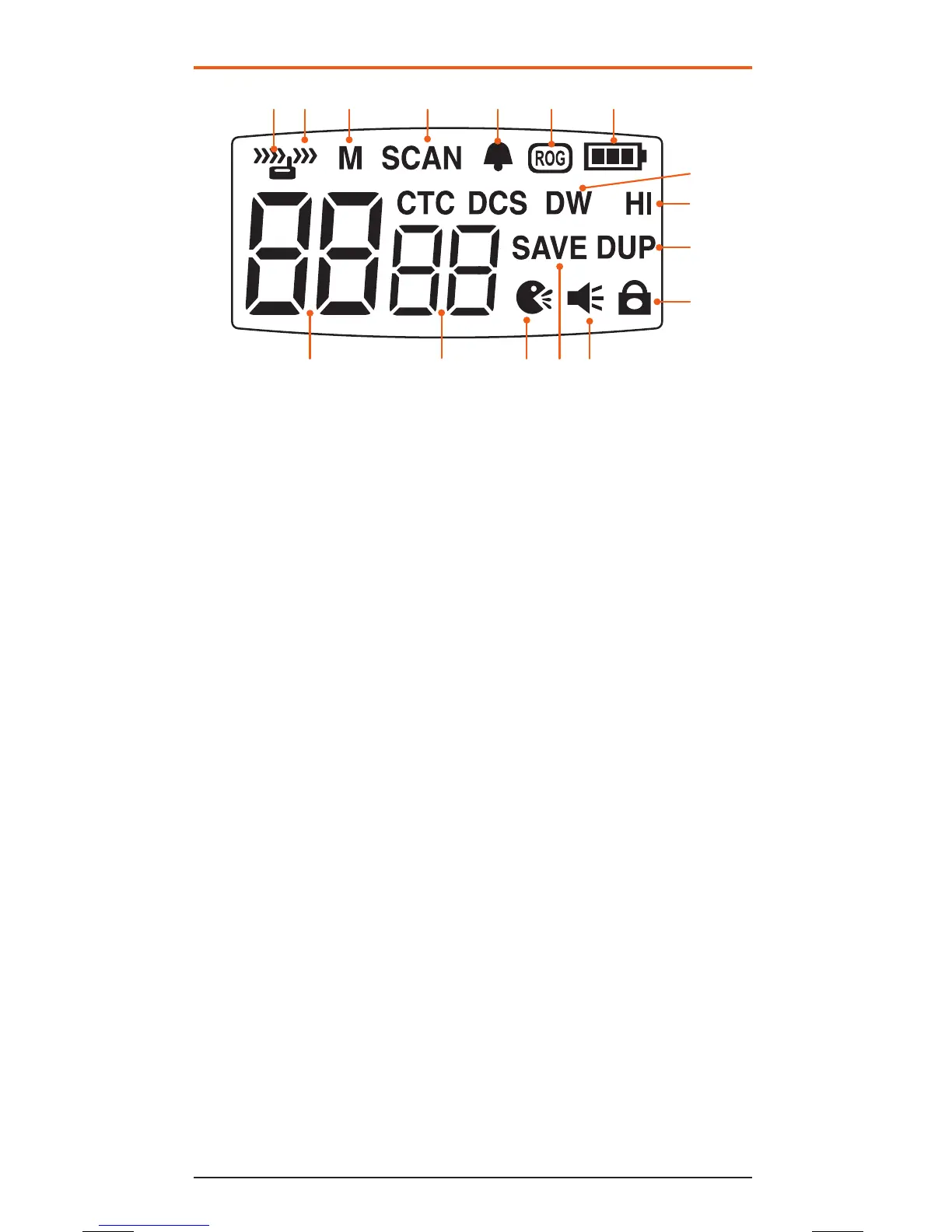
LCD DISPLAY
1 Receiver Busy Icon:
Appears when receiving.
2 Transmit Icon: Appears
when transmitting.
3 Memory Icon: Appears
when the selected channel
is stored in the Scan
memory.
4 Scan Indicator Icon:
Appears when SCAN is
enabled and the radio is
scanning.
5 Button Beep Tone Icon:
Appears when the button
beep confirmation tone is
selected.
6 Roger-Beep Tone Icon:
Appears when the Roger-
Beep tone is enabled.
7 Battery Level Icon:
Indicates battery charge
level. Flashes when battery
is almost empty.
8
Dual Watch Icon: Appears
when Dual Watch mode is
active.
9 High Power Icon: Appears
when High transmitter
power is selected.
10 Duplex Icon: Indicates
that Duplex communication
has been enabled.
11 Key-Lock Icon: Appears
when the keypad is locked.
12 Monitor Icon: Appears
when Monitor function is
activated.
13 Power Save Icon:
Appears when the radio is
in the power save mode.
14 Voice Activated
Transmission (VOX)
Icon: Appears when the
VOX mode is activated.
15 CTCSS Tone: Displays the
selected CTCSS tone
(from 00 – 38) on the
selected channel.
16 Channel Display:
Indicates the channel
number in use.
1 2 3 4 5 6 7
8
10
11
1213141516
9



 To Next Page