PAGE10 INSTRUCTIONMANUAL TX6150/TX685
NOTE: ThesquelchsensitivityispresetintheMenu–SquelchLevelsetting(seeMenuoptionsfor
moredetailsonsettingthesquelchsensitivity).
Keypad Lock
TheKeypadLockdisablesthekeystopreventaccidentalkeypressesfromchangingthepreferred
settingsoftheradio.Whenthekeysarelocked,the
Iconisdisplayedandallkeypressesare
ignoredexceptforthePTT, SQLandtheKeypadunlockfunction.
ToactivatetheKeypadLockpresstheFkey(theFiconwillappear)thenholdthe
keyuntil
theradiobeeps.The iconwillappearonthedisplay.
TocanceltheKeypadLock,presstheFkeythenholdthe
keyagainuntiltheradiobeeps.
The iconwilldisappear.
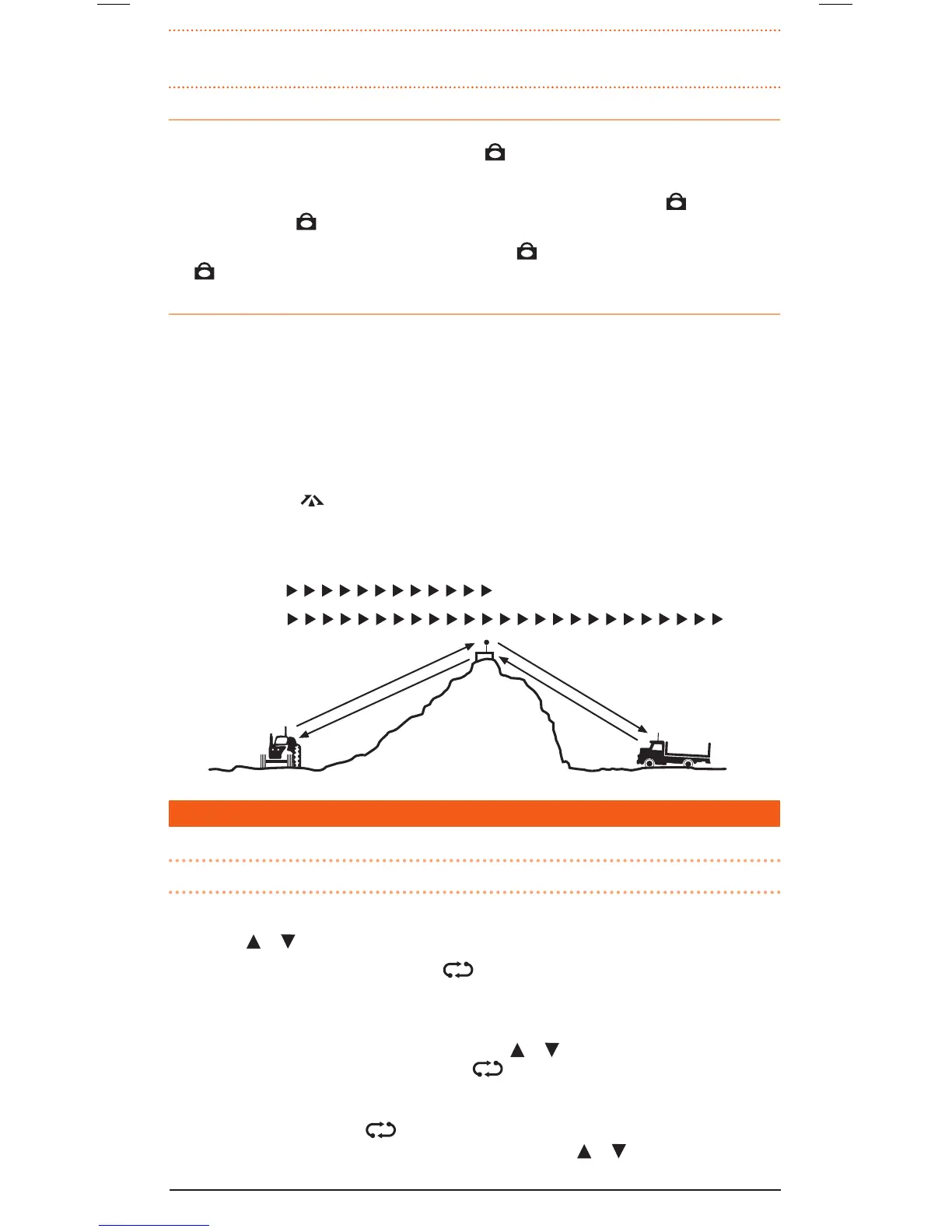
Duplex Operation
Duplexoperationallowstheradiototransmitonadifferentfrequencytothatwhichitreceives.This
allowsoperationthroughrepeaterstationsinyourarea.Repeatersautomaticallyre-transmityour
signaloveramuchwiderarea,providinggreatlyincreasedrange.TheDuplexmodeonlyworkson
designatedrepeaterchannels1–8and41–48.WithDuplexselectedononeofthesechannels,
yourradioactuallytransmits30channelshigherthanitreceives.
e.g.IfDuplexisselectedonchannel1,yourradiowillreceiveonchannel1butwilltransmiton
channel31.
Duplexcanbeenabledordisabledseparatelyonindividualchannels.WhenDuplexisenabledon
theselectedchannel,
isdisplayed.
TheDuplexModeissetthroughtheMenu.PleaserefertotheMenuoptionsfurtherbelow.
Simplex/Duplex Range Comparison
SCANNING
Channelscanningallowsyoutomonitorasequenceofselectedchannelsforincomingsignals.
NOTE: Whiletheradioisscanning,theMenusettingkeyisdisabled.
To Select Channels for Scanning
1. Pressthe
or ▼keystoselecttherequiredchannel.
2. HoldtheSCANkeyuntiltheradiobeeps.
willbedisplayedindicatingtheselectedchannel
isnowstoredintheScanMemory.
3. RepeattostorefurtherchannelsintotheScanMemory.
4. ToremoveachannelfromtheScanGroup,pressthe
or ▼keystoselecttherequiredchannel
thenholdtheSCANkeyuntiltheradiobeeps. willdisappearfromthedisplay.
To Scan the Selected Channels
BrieypresstheSCANkey.The
iconwillashandthechannelnumberswillchangeasthe
radioscansthroughthechannels.Whilescanning,brieypressthe or keystochangethescan
directionupwardsordownwards.



 To Next Page