TX6150/TX685 INSTRUCTIONMANUAL PAGE7
pOWERING THE RAdIO
Yourradioispoweredbya7.4voltLi-Ionbatterypack.Whenthebatterypackisnew,itshould
befullychargedbeforebeingusedforthersttime.Ifleftunused,yourradio’sbatterypackwill
dischargeitselfwithinafewmonths.Ifyouhavenotusedyourradioforsometime,youwillneed
torechargethebatterypackbeforeuse.
WARNING: UseonlytheapprovedGMEcharger.Theuseofothertypesmaybedangerousand
willvoidthewarranty.
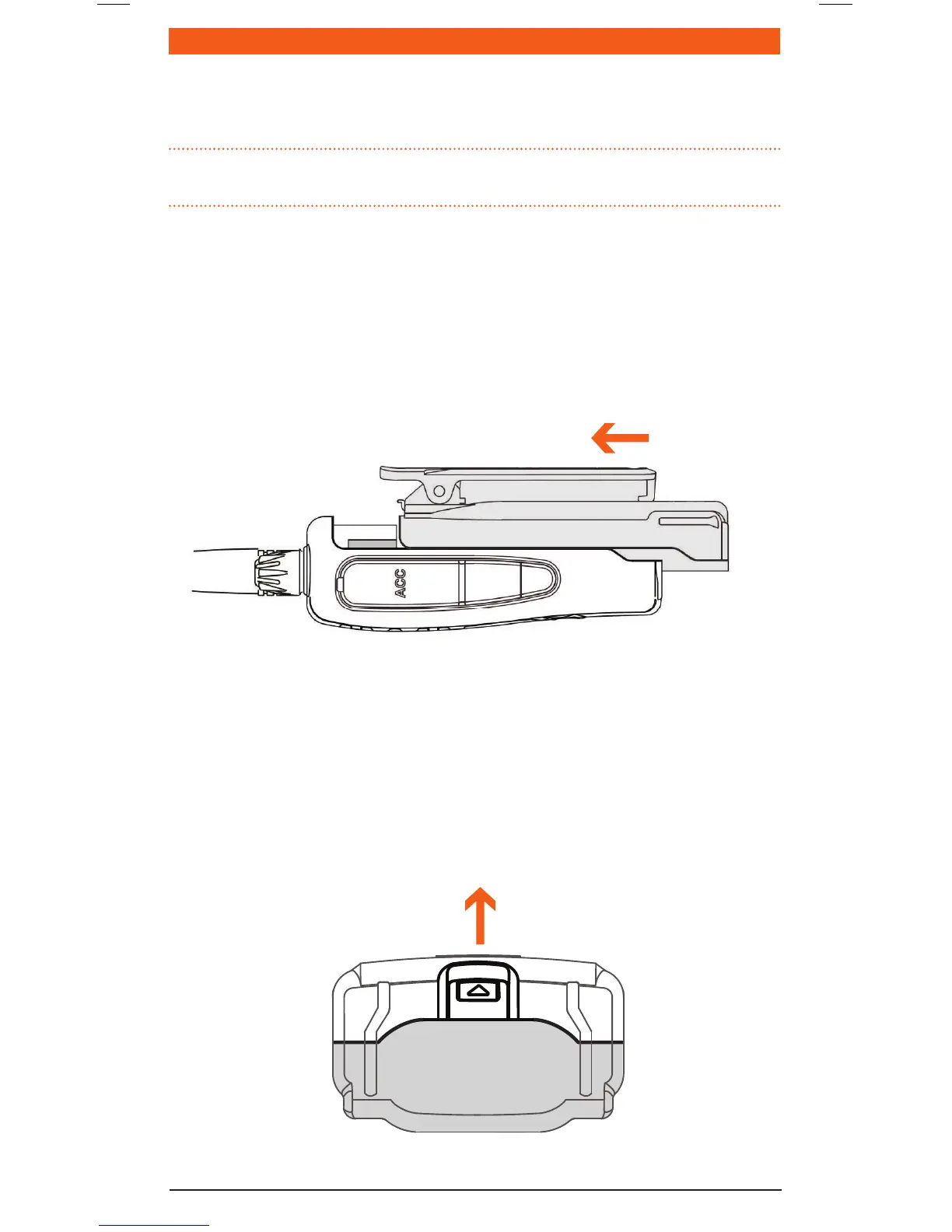
To Fit the Battery Pack
1. Ensurethatyourradioisswitchedoff.
2. Aligntheslotsinthebatterypackwiththebatteryguidesonthebackoftheradio.
3. Slidethebatterypackupwardsasfarasitwillgountilit‘clicks’.
To Remove the Battery Pack
1. Ensurethatyourradioisswitchedoff.
2. Holdtheradioupside-down.
3. Usingyourngernail,slidethebatterycatchtowardsthefrontoftheradiotoreleasethe
batterythenslidethebatterytowardsyou.Thebatterypackshouldseparatefromtheradio.
Slide to lock battery
Pull to release battery



 To Next Page