PAGE6 INSTRUCTIONMANUAL TX6150/TX685
lCd ICONS
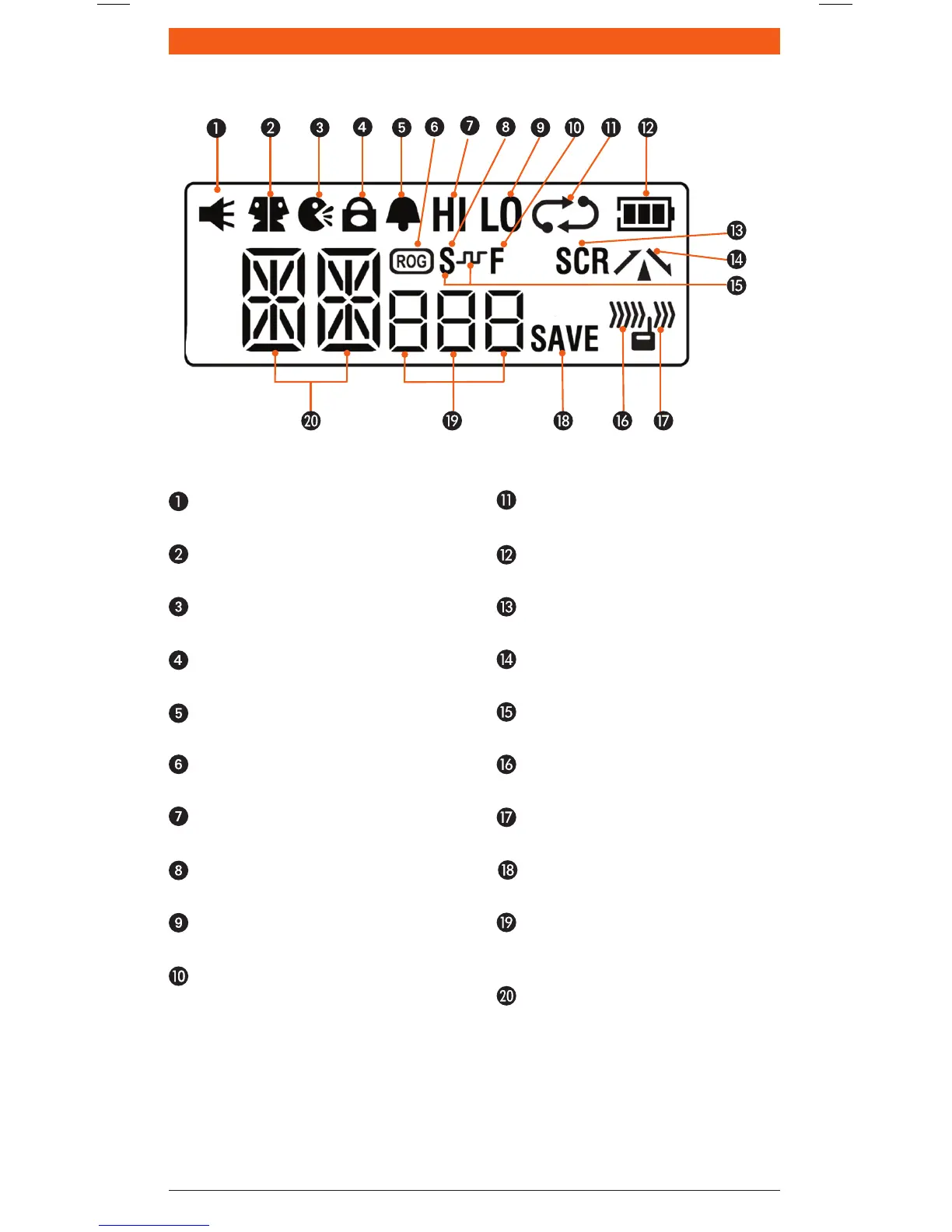
Monitor Icon:Appearswhenthe
Squelchisopen.
Dual Watch Icon:Appearswhen
DualWatchisactive.
VOX Icon:AppearswhenVOXmode
is active.
Key Lock Icon:Appearswhenthe
keypadislocked.
Button Beep Icon:Appearswhen
buttonconrmationtonesareon.
Roger Beep Icon:Appearswhenthe
RogerBeeptonesareactive.
Hi Power Icon:AppearswhenHigh
TXpowerisselected.
CTCSS Silent Icon:Appearswhen
SilentmodeisactiveusingCTCSS.
Low Power Icon: Appearswhen
LowTXpowerisselected.
Function Icon:Appearswhenthe
function‘F’keyispressedtoactivate
secondaryfunctions.
Scan Icon:Flasheswhenradio
is scanning.
Battery Icon:Displaysbattery
chargelevel.
Scrambler Icon:Appearswhen
Scramblerisenabled.
Duplex Icon:Appearsonchannels
whereDuplexisenabled.
DCS Silent Icon:Appearswhen
SilentmodeisactiveusingDSC.
Receive Icon:Appearswhen
receivingsignals.
Transmit Icon:Appearswhen
transmitting.
Power Save Icon:Appearswhen
theradioissleeping.
CTCSS/DCS Display: Indicates the
selectedCTCSSorDCStonewhenin
theMenu.
Channel Display:Displaysthe
selectedchannelinuse.



 To Next Page