As a power saving feature the LCD backlight will be switched off
after 1 minute of inactivity, the backlight can be turned back on by
briefly pressing any of the buttons. During this time the charge
status indicator
will show indication 7.
Charging
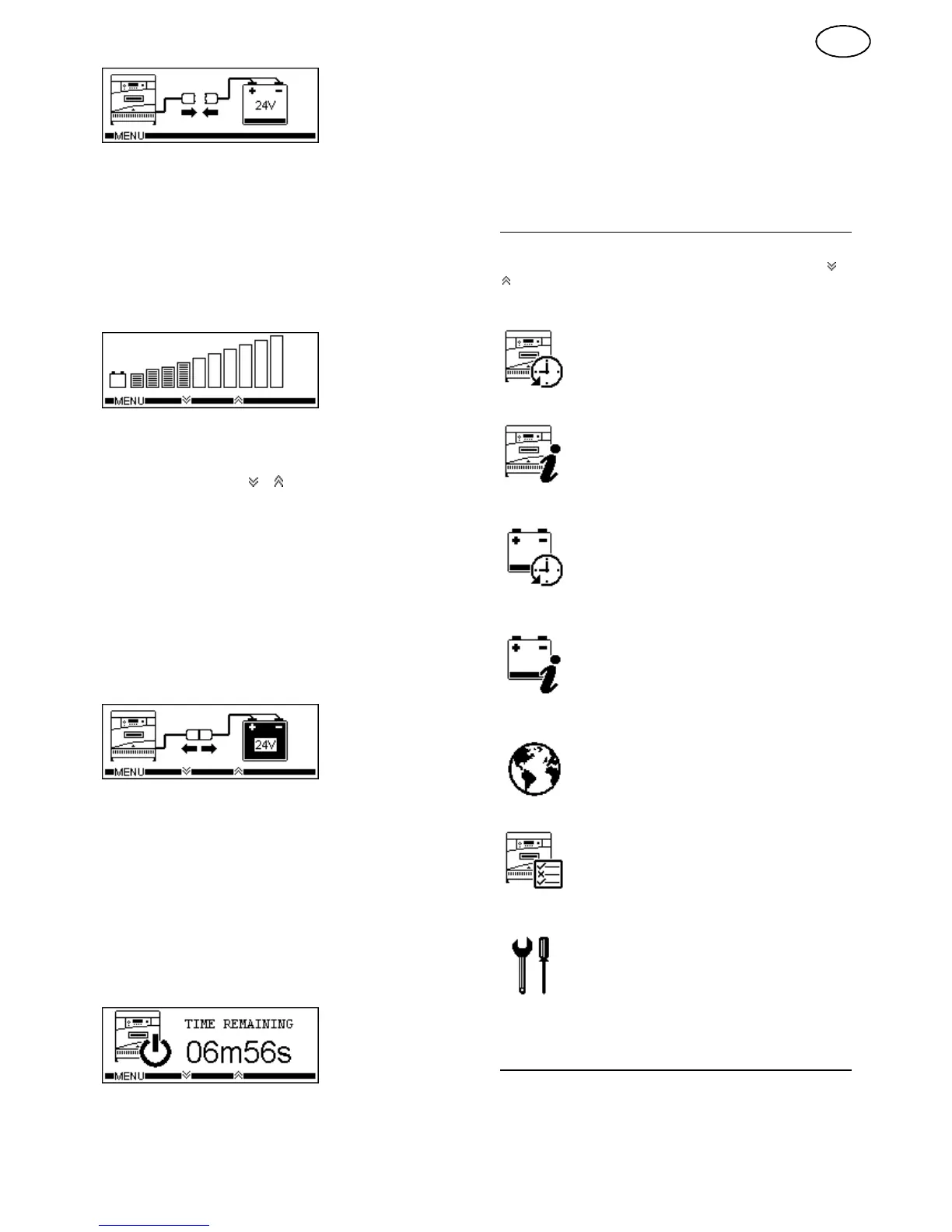
When a battery is connected to the charger, charge will start
automatically. The charge status indicator
will show indication 1 or
indication 2 (The speed of the rotation indicates the state of charge
of the battery,
with fast cycling indicating a low charge state)
and
the LCD display
will show
the following:
The bar graph display gives the user
an indication of the battery’s
present
state of charge.
During charge, the user can scroll through the following charge
information, by pressing the
or
keys.
• VPC
Voltage per cell
• Ah
Total Ampere hours d elivered to the battery
• Amps
The present output current
• Stage
The present charge stage
• Charge Time
The total charge time
• Rest Time
Time elapsed since charge completed
• ^*Battery Temp
The present battery temperature
• Warnings
Displays any warnings -
Only shown when
applicable
Charge Complete
When charge is complete the charge status indicator will show
indication 3 and the LCD display will show the following:
The battery should be left connected to the charger until required;
under these conditions the battery will receive periods of refreshing
charge to maintain it in the fully charged condition. During these
periods, the charge status indicator will show indication 4.
Removing the battery
The battery can only be disconnected when charging current
has stopped flowing. Therefore, the pause button must be
pressed before disconnection. A second press of the pause key
will clear the pause condition and continue charge (Disabled
during the first 10 seconds of pause).
When the charger is paused the charge status indicator
will show
indication 6
and the LCD display
will show
the following:
If the pause mode is entered but the battery is not removed within
10 minutes the charge will automatically continue.
Cool Down Mode (Profile Dependant)
Cool down mode is activated after the charge has completed and
allows the battery time to ‘cool down’ before its next use. During
this time the battery should remain connected to the charger, but
can be removed if required.
During cool down, the charge status indicator will show indication 4
with the LCD displaying the remaining time.
User menu
A user menu can be accessed by pressing the MENU
key, the
following options can then be scrolled through by pressing the
or
keys and then activated by pressing the SELECT
key:
^Charger History
Cycle
Data
Total Charge Ah
Cycle
Graphs
Total Charge Time
Total Initiations
Total Terminations
Charger Information
Charger Type
Software Version
Module Part Number
Network ID
Module Temperature
Network Speed
Serial Number
Date Code
Auto Equalisation
Watering System
^*Battery History
Install Date
<20% DOD
Inits
<50% DOD
Terms
<80% DOD
TOT EQU
>80% DOD
TOT
WTR
^*Battery Information
Fleet ID
Voltage
Capacity
S/N
Tag ID ML No
WTR Cycles Cell Type
EQU Cycles
Language
English Dansk
Francais Svenska
Nederlands Espanol
Deutsch
Charger options
Opportunity Charge Safety Disconnect
Auto Balance ^*BattID
Onboard ^Fast Status
Stored Equalise ^*Battery Temp
AGV
Settings
Set LCD Contrast
Reset Charger
Override / Enable Inhibit
Set Delayed Start
The menu can be exited by pressing the BACK
key.
Charger Features
Equalise System (Profile Dependant)
Periodically, low maintenance batteries require additional charging
to equalise all of the cells to the same charge state, this should
also be performed after the battery is watered.
3
GB


 To Next Page