10
Fury X-3 Installaon and Operang Instrucons
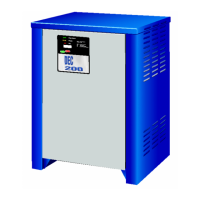
Stop Charging:
To stop charging, press the START/STOP buon during a
charge. If a charge cycle is stopped by pressing the START/
STOP buon, the User Stopped Screen is displayed.
Note: If the connecon between charger and baery is
disconnected while a charge cycle is underway, the charger
will automacally stop.
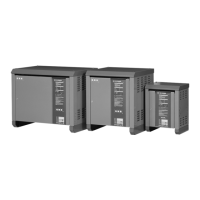
Charge Complete:
When the charger completes a charge cycle, the Charge
Complete Screen is displayed. The complete screen displays
the baery’s state of charge along with its inial state of
charge. There is also the opon to view charge details by
pressing the down arrow. The details screen provides the
same informaon as the record detail screen.
1
2
3
4
65
11
10
9
8
7
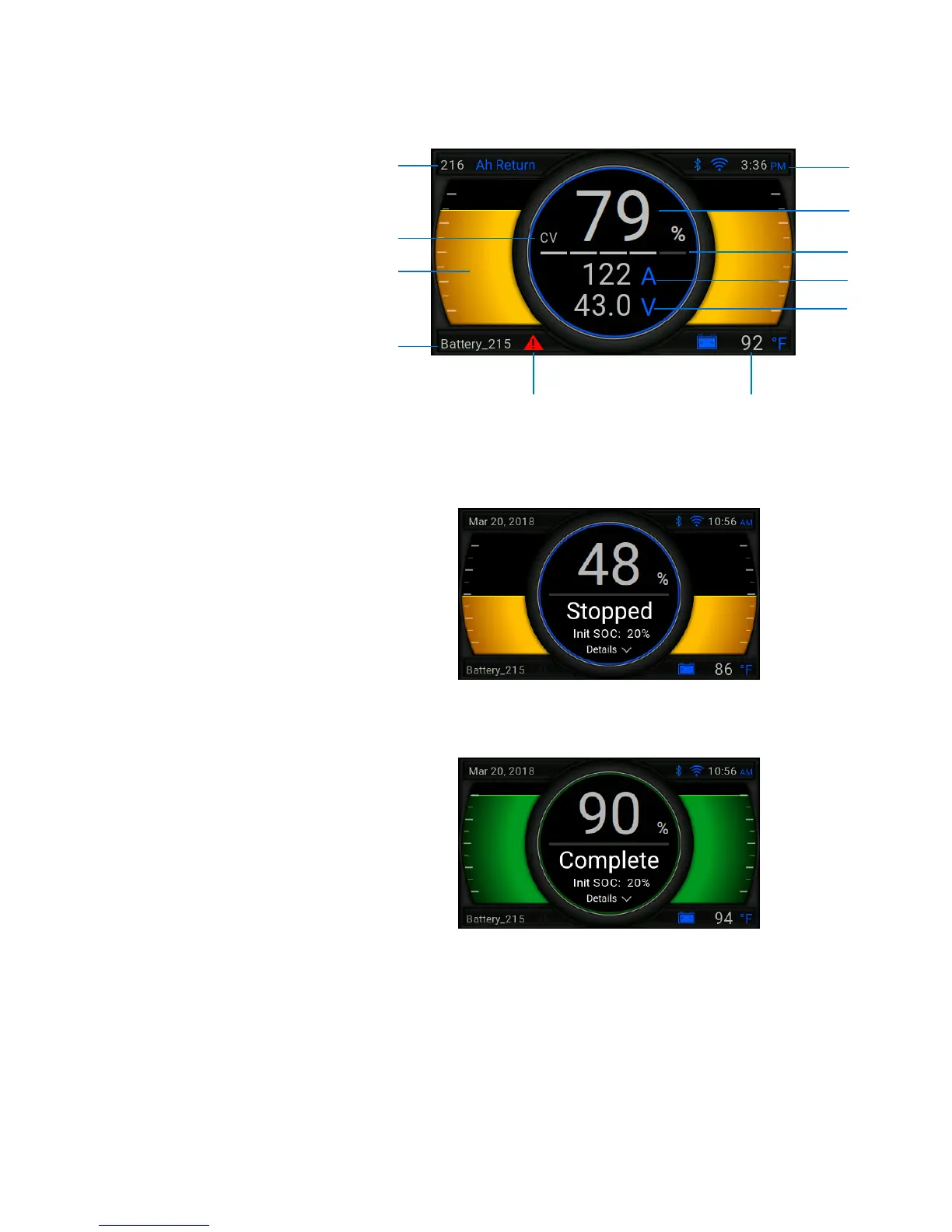
Viewing Charging Informaon: Aer a charge has been
started, the charger will display the following informaon:
1. Amp-hours Returned to Baery
2. Charge Mode (CC, CV, FN, EQ, TK)
3. SOC Progress Bar
4. Baery ID
5. Drawer Error Warning (When Flashing)
6. Baery Temperature
7. Charge Voltage
8. Charge Current
9. Acve Power Drawers Indicator
10. State of Charge
11. Time, WiFi, and Bluetooth


 To Next Page